
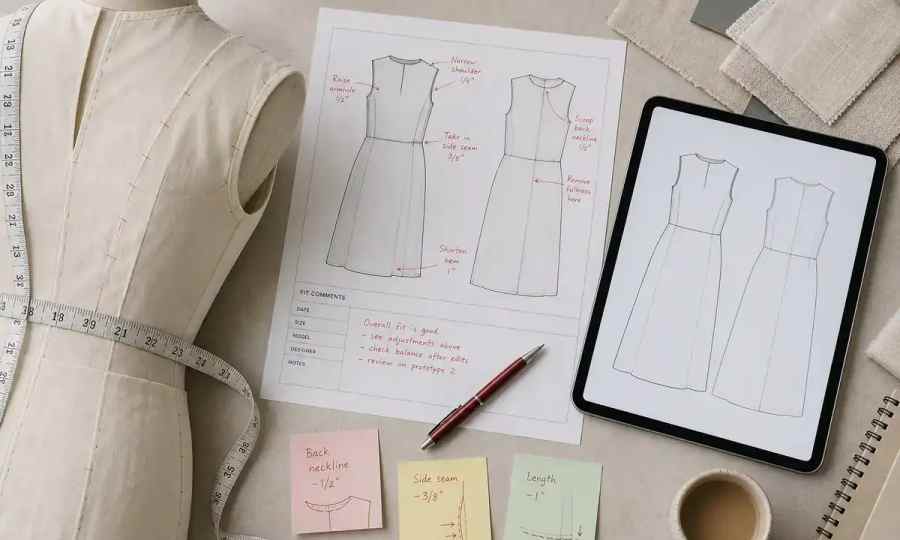
A standard fit comment sheet contains 5 to 7 core sections that document the results of a fit session. These key components include header information, a before-and-after measurements table, general construction notes, specific fit and balance comments, and a final approval status for the sample. A technical designer typically spends 30 to 60 minutes compiling these details for each garment sample received.

Every professional fit comment sheet is built around five specific sections that provide a clear, 360-degree evaluation of a garment sample. These sections ensure that your feedback is organized, complete, and understandable to the pattern makers and production team at the factory. Skipping any of them introduces ambiguity and increases the risk of receiving an incorrect next sample.
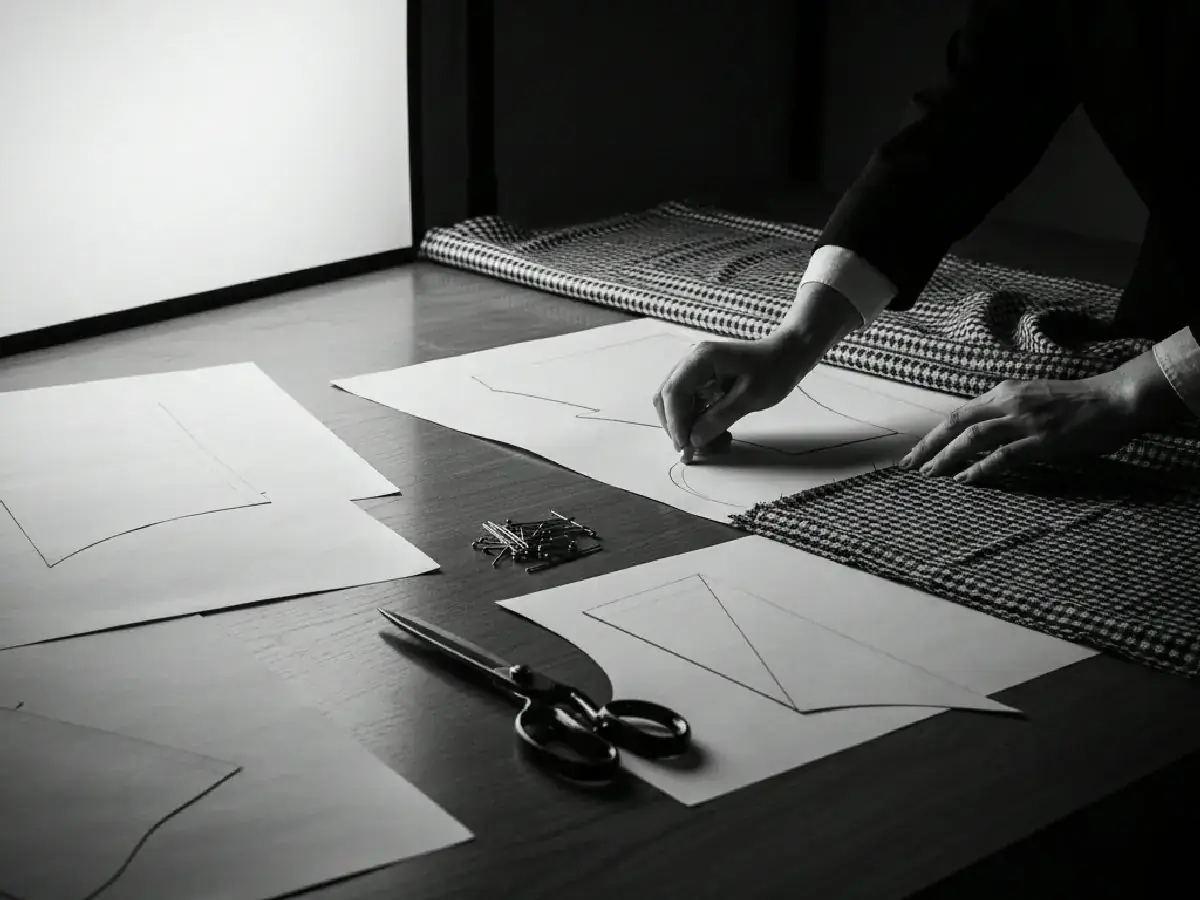
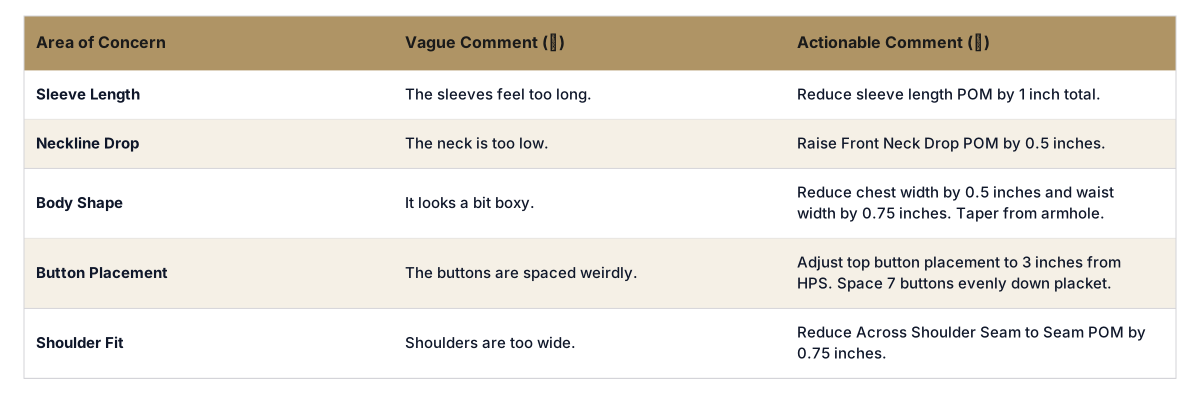
Three steps separate a vague, confusing comment from a precise, actionable instruction that a factory can execute correctly on the first try. Ineffective feedback like "sleeve is too long" leads to delays and wasted sample costs. Actionable comments are a primary driver of an efficient pre-production timeline.
First, always be specific and quantitative. Instead of saying "the neckline is too wide," state "Reduce total neck width by 0.5 inches." Provide a number and a unit of measurement. This removes all guesswork for the pattern maker.
Second, clearly state both the problem and the required solution. A good formula is "Problem: [describe the issue]. Solution: [state the exact change needed]." For example: "Problem: The cuff is too tight for the wearer to get their hand through comfortably. Solution: Increase cuff opening circumference by 1 inch."
Third, reference the specific Point of Measure (POM) code from your tech pack whenever possible. For instance, instead of just "make the chest smaller," write "Reduce POM 'CH-01' (Chest 1 inch below armhole) by 0.75 inches total." This links your feedback directly to the official garment specification sheet, ensuring the master document is updated correctly.
A single fit comment sheet is a data packet, not a complete workflow. Its value is only realized when it is successfully integrated back into your master tech pack and communicated without error. In many brands, this process involves manually transcribing comments from a PDF or spreadsheet into a PLM system or master spec sheet, a method that invites costly copy-paste errors and version control issues.
A modern pre-production workflow software for fashion acts as an orchestration layer, connecting the fit comment process directly to the central tech pack. When a technical designer updates a measurement in the fit session notes, the system automatically updates the corresponding POM in the master spec. This eliminates manual data entry, prevents version control chaos, and creates a single source of truth for the garment.
This level of integration is what allows a platform like The F* Word to generate and update validated, factory-ready tech packs so quickly. When your initial design is translated into one of our AI tech packs in just 8 to 10 minutes, that speed is maintained through every sample iteration because the feedback loop is automated. The system validates comments against grading rules and other specs, ensuring that a change requested for a size Medium sample will grade correctly to an XXL.
Four common mistakes account for the majority of sampling delays and miscommunications between design teams and factories. Avoiding them is critical for maintaining speed and controlling costs.
1. Using Vague and Subjective Language. Comments like "it looks weird," "feels tight," or "this is not right" are useless to a pattern maker. They lack the quantitative and specific direction needed to make a precise correction.
2. Creating Contradictory Instructions. A frequent error is requesting changes that conflict. For example, asking to reduce the chest measurement while also commenting that the armhole feels too restrictive. A technical designer must resolve these conflicts before sending feedback to the factory.
3. Ignoring the Impact on Grading. A change that works on a size Medium fit model may not work when graded across a full-size range. For instance, significantly reducing the shoulder slope on a sample size can result in a distorted, poor-fitting garment in larger sizes. Changes must be evaluated for their impact on the entire grade rule.
4. Forgetting to Update the Master Spec Sheet. This is the most damaging administrative error. A team can have a perfect fit session and write flawless comments, but if those changes are not carefully transferred to the master tech pack, the factory will produce the next sample using the old, incorrect specs. This forces another round of sampling, wasting weeks of time and hundreds of dollars.
Checklist: Writing Actionable Fit Comments
Manually updating tech packs after every fit session leads to version control errors and delays. The F* Word acts as the orchestration layer for your entire pre-production cycle, validating fit comments and updating your master specs automatically. It links every change back to the source data, eliminating copy-paste mistakes for good. Start free at thefword.ai or book a demo.
A tech pack is the complete blueprint for a garment, including all specs, bills of materials, and construction diagrams. A fit comment sheet is a feedback document used to correct a specific physical sample, and its primary purpose is to provide the instructions needed to update the tech pack for the next iteration.
A technical designer typically leads the fit session and is responsible for filling out the fit comment sheet. This role translates the designer's creative feedback and the fit model's physical experience into the concrete, measurable instructions that the factory's pattern makers need.
Yes, photos are a highly recommended and essential part of a fit comment sheet. They provide crucial visual context for your written comments. To be effective, photos should be clear, well-lit, and digitally marked up with arrows or circles to pinpoint specific problem areas, but they must always be accompanied by precise written text and measurement changes.
Get The F* Word workflow insights in your inbox.