
Language

An AI clothing generator creates a garment image from a text prompt, sketch or reference photo. Fashion brands can use that image to explore a design before committing to materials and samples. A garment image alone leaves measurements, fabric choices and construction details unresolved. The F* Word supports the next stages with autonomous moodboards and tech packs, with a stated tech-pack generation time of 8 to 10 minutes from a garment design.
A designer can use a generated jacket image to discuss silhouette, pocket placement and color with a creative director. The discussion becomes harder when the team treats every visible detail as a settled specification. A shadow can resemble a seam. A fold can obscure the pocket opening. The image gives you a reference to review, but the designer still needs to decide which details belong in the garment.
Adobe describes Firefly's text-to-image feature as a way to create images from written prompts. Its official product page also describes reference controls for composition and style. Those capabilities support concept exploration. They do not establish that a pictured jacket has a tested pattern, approved fabric or verified measurements. Read Adobe's text-to-image documentation for the feature description rather than assuming a garment-specific output contract.
I would choose an AI clothing generator around the decision it helps your design team make. If you need to compare collar shapes, test the collar in several views and inspect what changes between them. If you need a factory to quote the style, ask for the technical information the quote depends on. These are separate buying tests because a good concept image can still leave the factory with unanswered questions.
Table 1. Clothing-tool outputs and review needs. This category comparison describes different jobs in a brand workflow. It is not a scored vendor ranking; feature sets and export options need checking for the specific product and plan you intend to buy.
| Main job | Brand review before handoff | |
|---|---|---|
| AI image generator | Produce concept images from prompts or references | Choose the design details and confirm which views belong to the same style |
| Garment CAD or 3D software | Work with garment geometry, patterns or a virtual garment | Check the pattern, material assumptions and available technical exports |
| Technical documentation tool | Record measurements, materials and construction instructions | Check values, revisions and unanswered factory questions |
| The F* Word | Generate moodboards and tech packs; stated tech-pack time is 8 to 10 minutes | Review generated garment details and confirm the pack before factory use |
Ask a garment CAD vendor to show its technical exports during your trial. Check whether the file includes the measurements your factory needs, how you change them and which version the recipient sees. Avoid judging the entire category from a rendered image or assuming every product has the same documentation functions. The exported file provides a better buying test because your technical designer can inspect the actual fields.
The F* Word's role here is moodboard and tech-pack generation around the garment design. It is a validation and orchestration layer rather than a replacement for a PLM system or physical fit testing. Its stated generation time concerns the tech-pack output. It does not measure the time to approve a pattern, source a fabric or receive a factory sample.
Fabric is an early checkpoint because a rendered surface does not supply a mill reference or test result. A jacket that appears stiff could be drawn that way without a defined fabric weight. Choose the material with your sourcing team, record the supplier reference and ask the factory to confirm availability. The fabric decision affects drape and construction, so leaving it open can change the garment after the concept is approved.
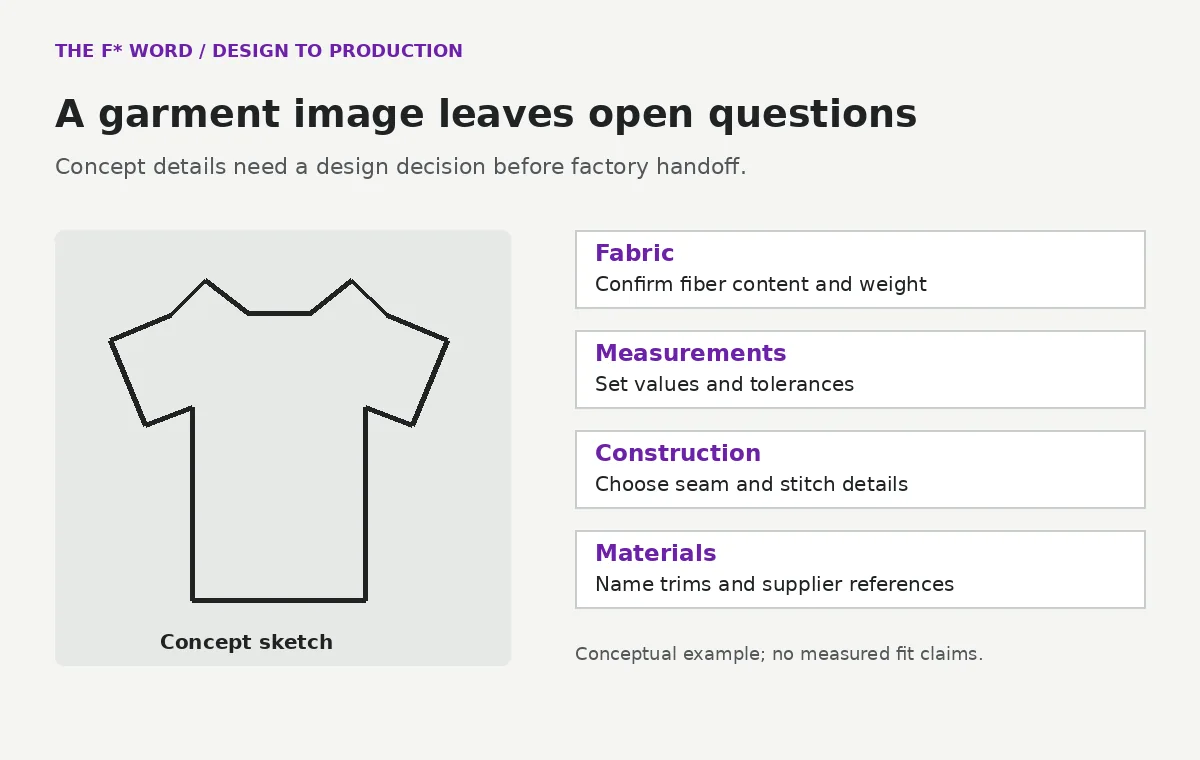
Measurements need the same care. A pictured sleeve length provides a visual proportion, while a point of measure defines where and how the factory should measure the sleeve. Record the intended value, unit and tolerance after the technical designer makes that choice. Asking AI to infer a number from an image introduces an assumption that the team must inspect before relying on it.
Construction details can change both the sample and the quote. For a pocket, confirm the opening, attachment method and any reinforcement. A decorative line in the concept may become a seam in the factory's interpretation unless the instructions resolve it. Put the chosen construction in the tech pack and keep uncertain details visible as questions.
A bill of materials links those choices to fabric, lining, labels and trims. A generated zipper image does not identify a zipper supplier or finish. Your materials record needs the agreed reference so the factory can source the intended part. For a broader view of where these decisions sit, use the AI Fashion Design overview.
Test an AI clothing generator with a garment your team understands rather than a vendor's preferred demo. Use an approved reference you have permission to upload. Ask the designer to write the features that must stay fixed, such as a pocket position or neckline, then compare the generated views against that brief. The test exposes whether the tool preserves your intent when the image changes.
Separate concept review from technical review during the trial. The creative director can judge the silhouette and collection fit. The technical designer can mark details that need a measurement, material or construction decision. If the image looks convincing but leaves those decisions open, keep it in the concept stage until someone resolves them.
Ask the vendor to show the actual files you receive, including any export restrictions. A screenshot of a completed pack does not tell you whether your team can edit the measurements or identify a later revision. Open an exported file and check it with the people who will use it. The review should cover the handoff your team needs rather than a promise that every output is production-ready.
Before uploading brand work, review the vendor's usage rights, data terms and access controls. Adobe's Firefly FAQ describes its training sources and commercial-use approach; treat that as Adobe's published position and still review the terms that apply to your account and assets. A vendor's general commercial-use statement cannot resolve rights to a reference image that your team supplied without permission.
Keep the approved image with its style reference so the designer and factory can trace the technical pack back to the chosen concept. When a design changes, review the affected measurements and materials before sending a new pack. Otherwise, a factory may follow an earlier instruction even though the latest image shows a different detail.
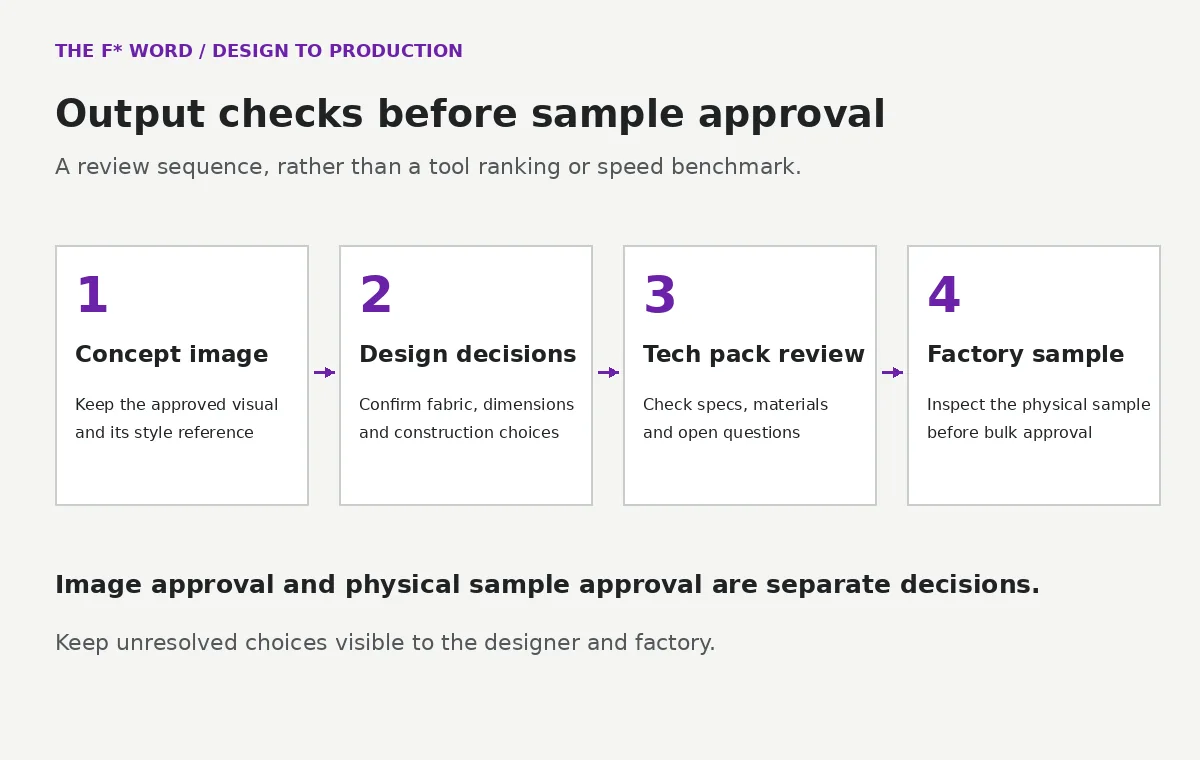
The tech-pack review should name unresolved choices and the person who will confirm them. A missing fabric reference can block sourcing. An unclear pocket instruction can cause the factory to choose its own construction. Ask the factory to return those questions before sampling so the designer can answer them in the same revision the factory will use.
Inspect the physical sample before approving bulk production. Fit, fabric behavior and workmanship need a physical check appropriate to the garment and your quality process. A convincing image or a completed document cannot establish those results. Record the sample findings against the style and update the approved instructions when the team changes the garment.
The F* Word generates moodboards for creative direction and tech packs from a garment design. Its stated 8 to 10 minute tech-pack generation time gives you a document to review, not a promise that every design decision or factory question is already closed. Keep the designer responsible for confirming the intended garment, with the factory responsible for checking its own production requirements.
Choose it when the work you need is turning design intent into a reviewed technical handoff. Choose an image-generation tool when the open task is exploring visual directions. If your team needs both, evaluate the transfer between them: the approved visual must remain identifiable when the technical document is created and revised. Detailed authoring and template choices belong in the AI Tech Pack Generation guide, which covers that later stage.
You can share it as a concept reference, but ask the factory which technical details it needs before quoting or sampling. Confirm measurements, materials and construction choices in the pack. A photo or render alone can leave the factory guessing about details the designer intended to keep fixed.
Check the product's actual measurement inputs and exports. A number inferred from a picture needs review because the image does not establish scale or a measurement method. Ask the vendor to show how the export records points of measure and target tolerances before treating it as factory documentation.
The F* Word handles validation and orchestration, including autonomous moodboards and tech packs. Garment CAD, PLM and physical sample review serve other jobs. Confirm the files and review steps your team needs before deciding which tools belong together.
The stated output time is 8 to 10 minutes from a garment design. Treat that as a generation-time claim rather than an independently measured benchmark for your team. Designer approval, sourcing, factory replies and sampling remain separate parts of the schedule.
Adobe Firefly text-to-image describes prompt and reference-image controls. Adobe Firefly FAQ explains Adobe's published training and usage position. These are vendor descriptions, not independent performance tests.
Keep visual exploration tied to an approved garment decision in the AI Fashion Design workflow. When your design is ready for technical review, create a tech pack with The F* Word and check the generated details before factory handoff.
Get The F* Word workflow insights in your inbox.