
Language
Send the tech pack to a manufacturing partner after your team has reviewed fit, revised the specifications and approved the work. Enterprise teams can also discuss operations bulletins and factory-system integration.

Review the tech pack, resolve the required changes and give human approval. Then send the pack to a manufacturing partner.
Check the measurements, materials and construction details with your team.
Only an approved tech pack can be shared or sent to a manufacturer.
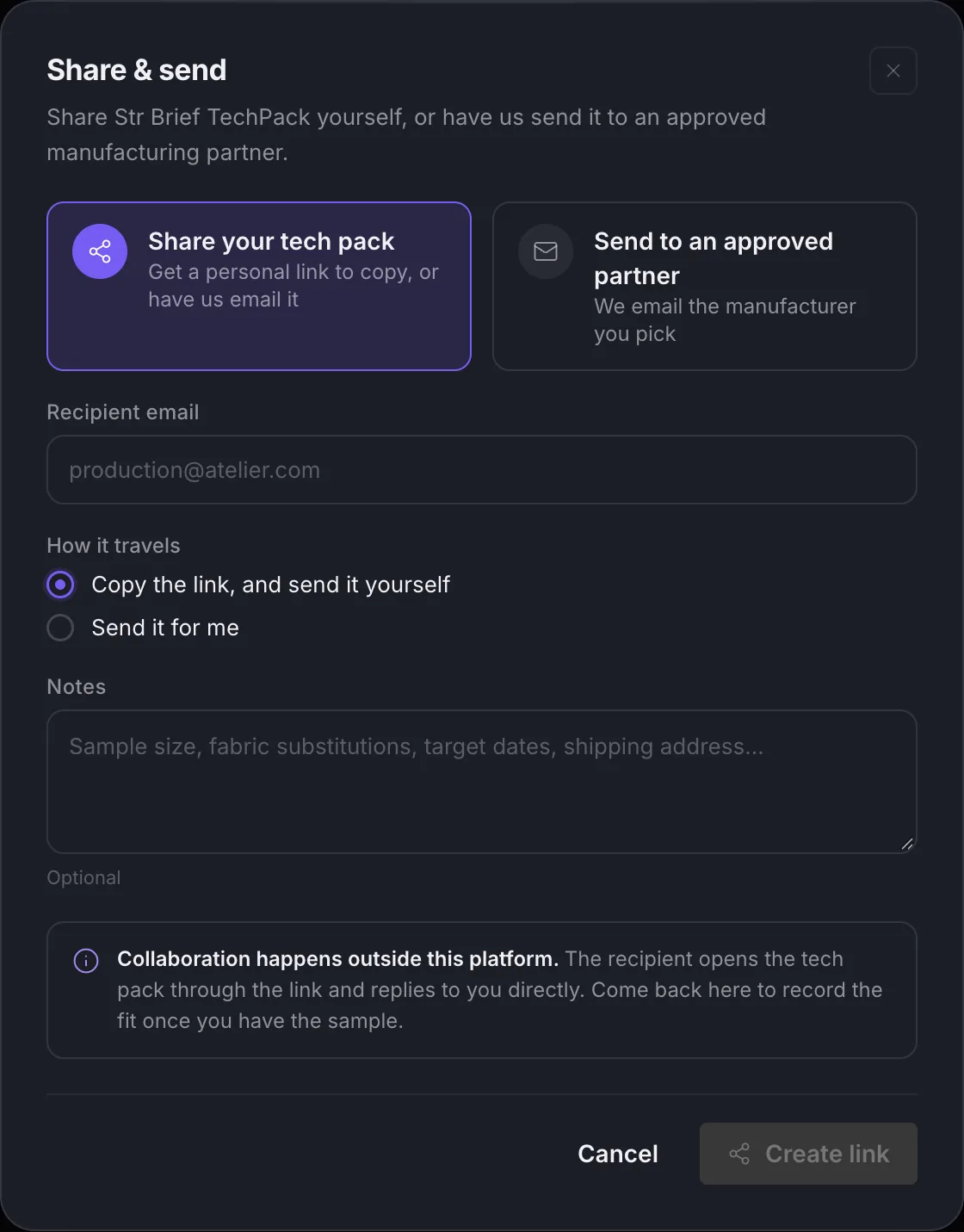
Share a personal link yourself, or have The F* Word email an approved manufacturing partner at no charge. The recipient opens the tech pack without an account. You work with the manufacturer directly, then run a fit session here when the sample arrives.
 See the review workflow
Factories and sourcing teams receive the operations bulletin with the approved tech pack, so line planning starts from the same specification the brand signed off. Each revision of the tech pack updates the bulletin and its revision log, so the line always works from the current version.
An illustrative breakdown for a woven shirt, showing the format of the output. SAM values are examples, not a time study.
| Seq. | Operation | Machine | SAM (minutes) |
|---|---|---|---|
| 1 | Join shoulder seams | 4-thread overlock | 0.45 |
| 2 | Attach collar to collar stand | Single-needle lockstitch | 2.10 |
| 3 | Set sleeves | Single-needle lockstitch | 1.60 |
| 4 | Close side and sleeve seams | Feed-off-the-arm felling | 1.20 |
| 5 | Attach cuffs | Single-needle lockstitch | 1.50 |
| 6 | Hem body | Single-needle lockstitch with hemming folder | 0.90 |
| 7 | Make buttonholes | Buttonhole machine | 0.60 |
| 8 | Sew buttons | Button sewer | 0.70 |
An operations bulletin lists every sewing operation for a style in sequence, with the machine type and standard allowed minutes (SAM) for each. Factories use it to plan the line, balance operators and cost the style.
The construction details in the tech pack define the operations; each operation then gets a standard time. The F* Word drafts the breakdown and SAM per operation from the approved tech pack, and your industrial engineering team reviews it before line planning.
Yes. Bulletins and their revision logs are available through the API for ERP, MES, sourcing and inspection systems, and Enterprise plans sync tech packs with Centric PLM and PTC FlexPLM.
Sending the pack starts the partner handoff. Production arrangements, pricing, capacity and acceptance still need to be agreed with the partner.
Approved tech pack
Final BOM
Final POM
Grading
Tolerance notes
Construction notes
Cut and sew sequence
Trim and packaging details
Colorways and lab dips
Order quantities and ratios
Delivery windows
Revision history
Factory operations bulletin
Line setup and SAM estimates
Sewing operation breakdown
Cut plan and marker notes
QC checkpoints and AQL
Trim and packaging instructions
Shipping and label specs
Approval and revision log
Open risk register
API payload to factory ERP
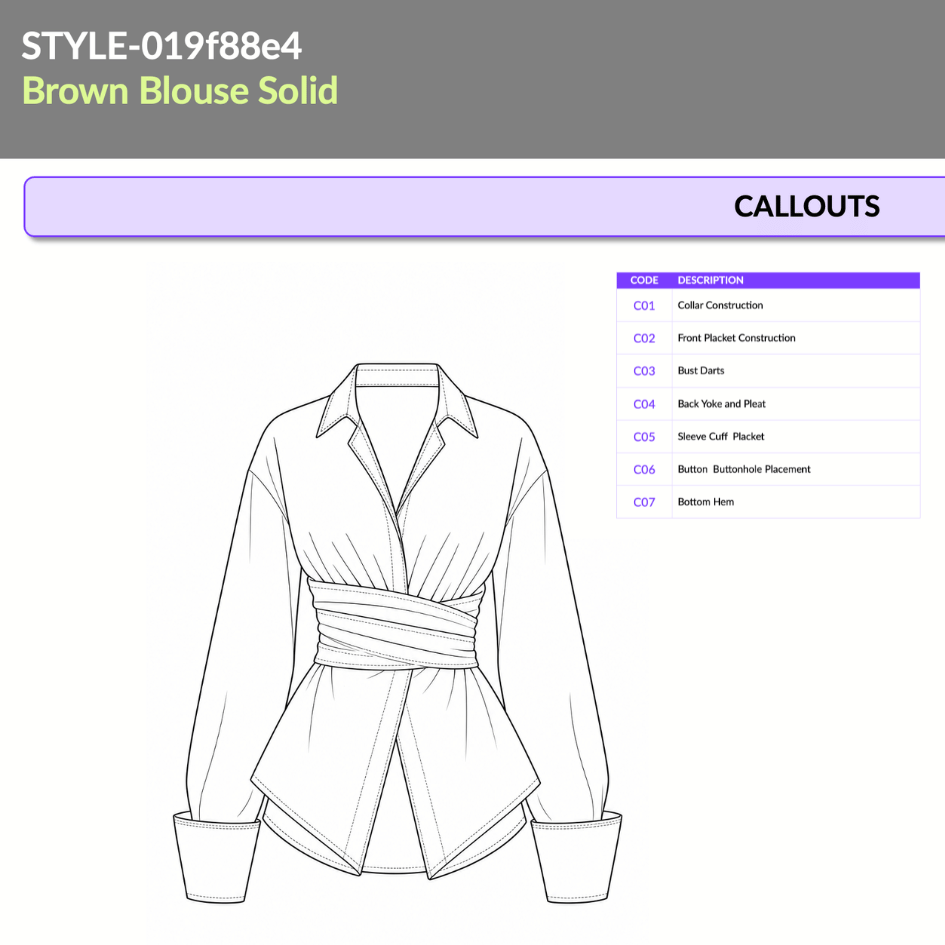
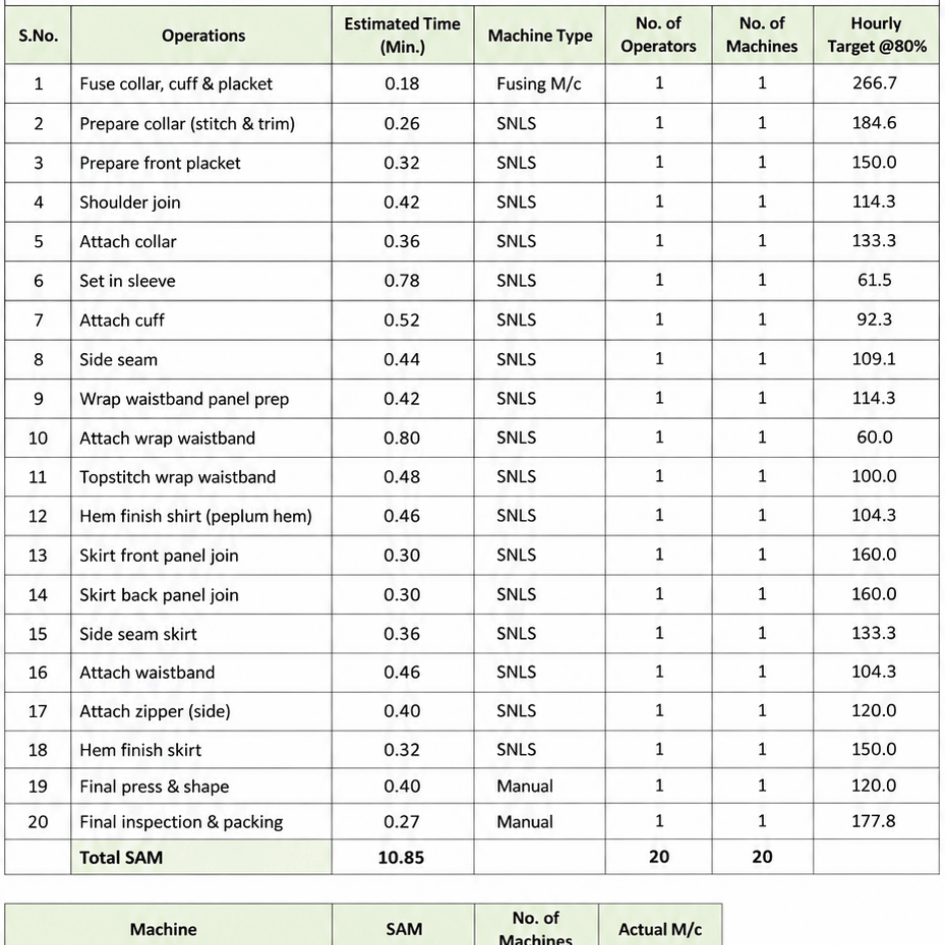
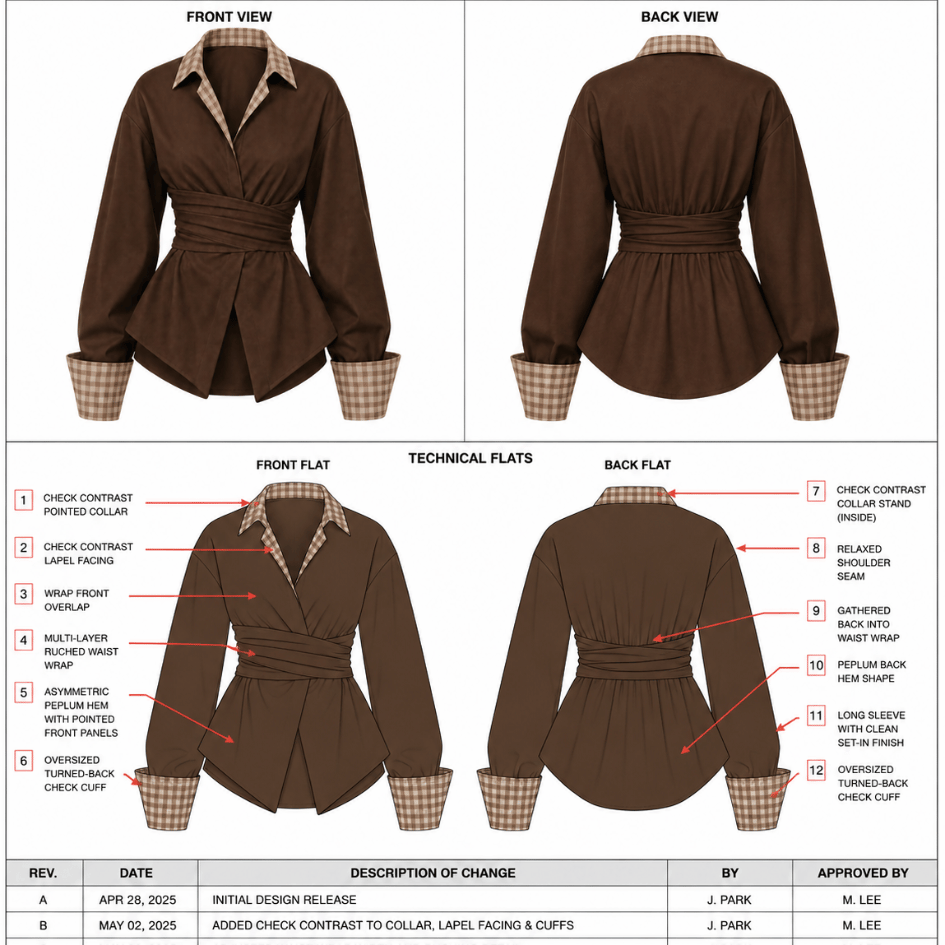
A final tech pack and approved on-model reference. One operations bulletin, no manual re-entry.
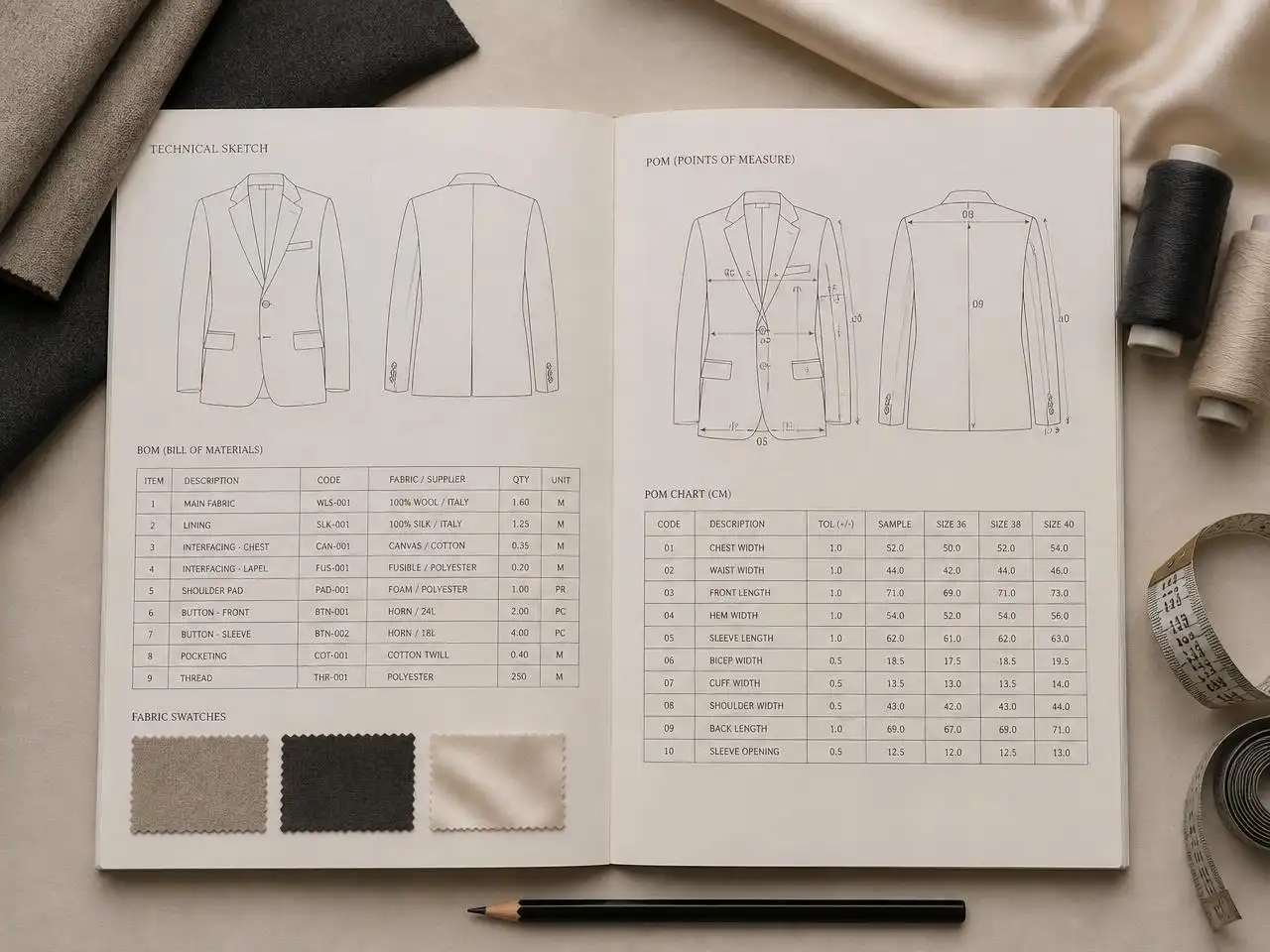
Flats, BOM, POM, and grading ready for a factory.

On-model visuals from the approved product.