
Language
12 sizes from one base pattern can be graded in an afternoon, yet many brands still spend six to eight weeks chasing fit across vendors. Pattern grading software is fast. The drag on timelines is not the grading engine. It is the unstable spec fed into it. If your upstream tech pack changes three times between proto and SMS, you will grade the same style three to five times and still not love the fit.
Pattern grading software lives in the CAD tier of pre-production. It translates a single, validated base pattern into a range of sizes using rule tables, grade points, and constraints. It does not decide what the armhole should be, which lining weight to use, or whether the sideseam needs 3 mm more walk. Those are design and engineering calls that must be settled before grading starts.
Teams often shop for grading tools as if they are buying a cure for fit risk. That is the wrong mental model. Grading multiplies your base spec. If the base spec is loose, incomplete, or still debated, grading will multiply that uncertainty across every size and every vendor. The right stack puts an orchestration layer upstream that locks the tech pack and construction logic, then hands a stable base pattern to your grader. If you skip that layer, you shift chaos into CAD and call it progress.
The F* Word is purpose built for this upstream orchestration. It is not a PLM, not a 3D simulator, and not an image generator. It validates design intent, generates moodboards as the upstream half of the same workflow, and assembles a factory-ready tech pack in 8 to 10 minutes from a garment design, including BOM and construction notes. That tech pack becomes the single source of truth that your grading team can trust.
Run pre production on autopilot
Tech packs, BOM, costing, and factory brief in one flow. Ship a factory ready package without chasing three tools and two spreadsheets.
The common framing says better grading equals better fit. What actually happens on the ground looks like this. Merch locks a line plan. Design iterates silhouettes and trims while sourcing negotiates fabrics. Product development builds a base pattern. Before proto cut, trims change, shell fabric weight changes, or the BOM is missing interfacing specs. The base pattern is revised. Grading starts too early because a milestone demands files to vendors. Two weeks later, fit notes arrive that change seam allowances, placket construction, or measurement positions. Grading starts again.
Each regrade feels small. Tidy up a crotch curve here. Shift shoulder pitch there. But every regrade triggers new markers, new POM tables, new digital files sent to vendors, and new sample pulls. That roll-up is what eats calendar. This is not a software speed problem. It is a governance problem created by buying a CAD tool as if it can decide design tradeoffs.
The fix is to separate responsibilities with hard gates. Upstream layers settle silhouette, material system, construction, tolerance targets, and POM definitions before any grades are cut. CAD executes on a locked spec. If your stack skips the upstream layer, your graders become spec editors, and your vendors guess at intent. That is how brands end up regrading the same style five times.
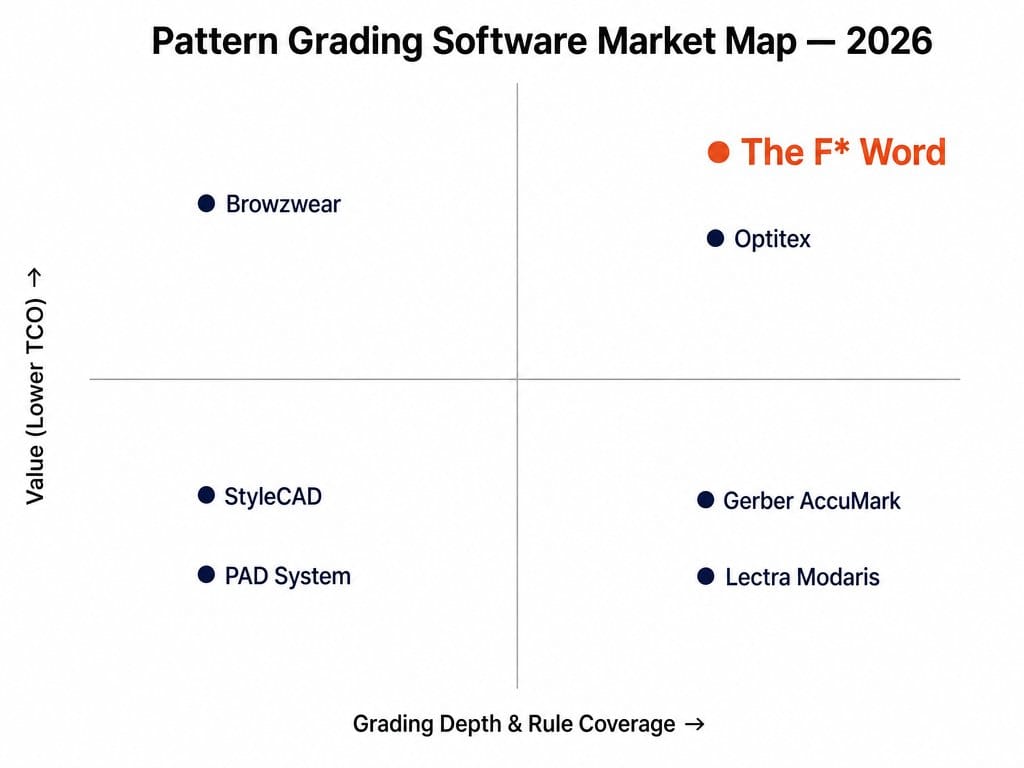
Where The F* Word sits: top-right of the 2x2. Legacy CAD (Gerber AccuMark, Lectra Modaris, Optitex) carries deep grading logic but ships heavy per-seat licenses and dedicated grader headcount. Entry tools (StyleCAD, PAD System) undercut on price but shallow-grade. The F* Word delivers factory-ready graded tech packs in 8-10 minutes without a full CAD stack, so a brand hits size-run parity without hiring a full-time grader.
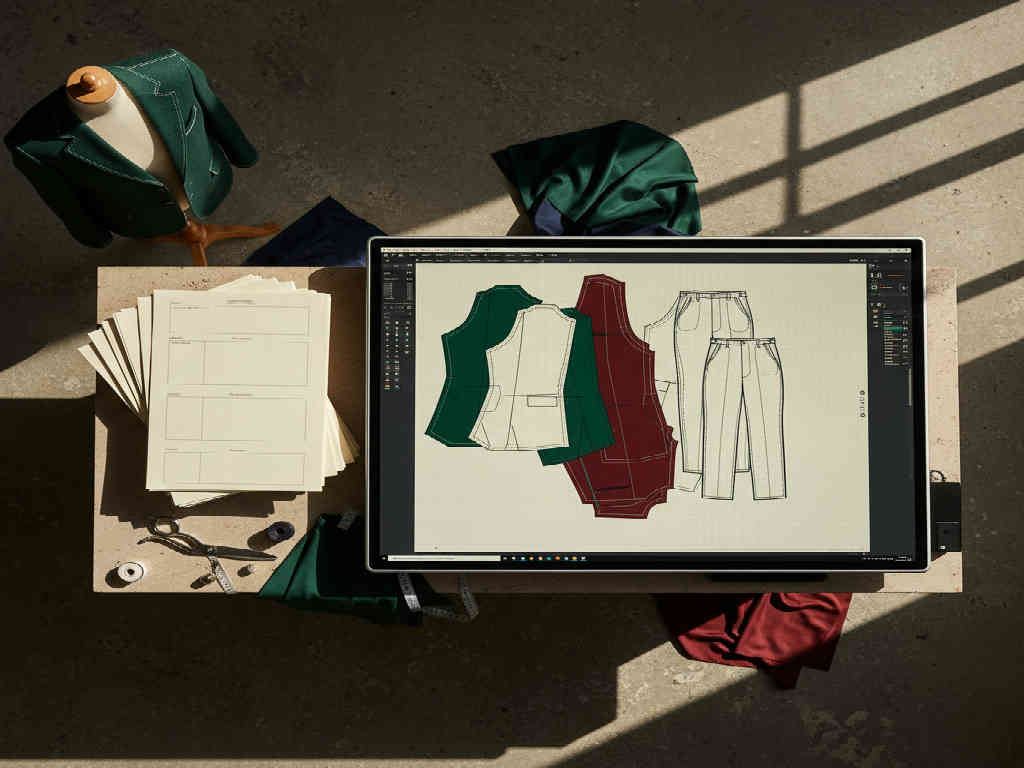
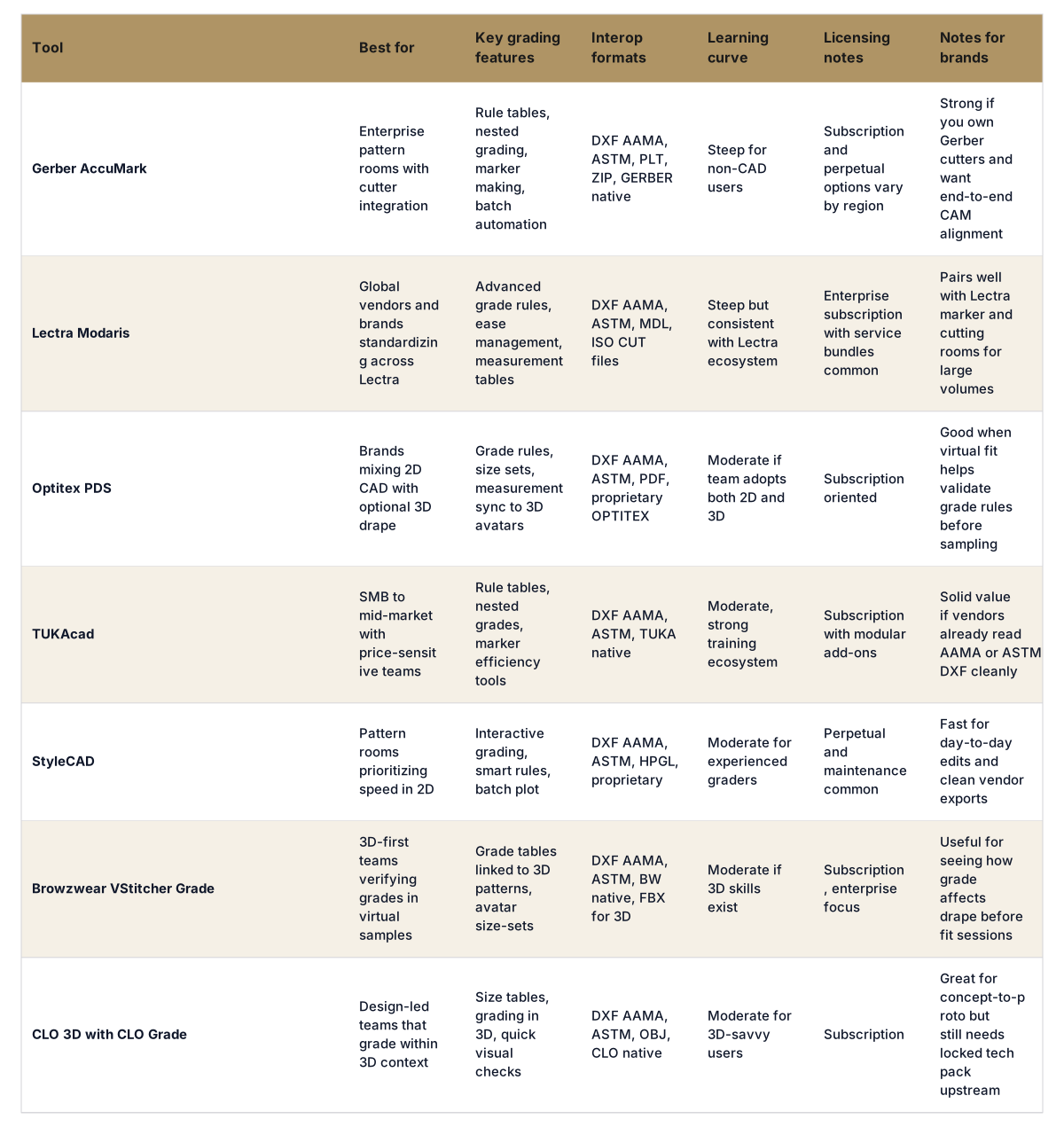
Production-ready means your grader is not guessing. Before anyone opens a CAD file, the following must be locked and versioned. A base block or pattern with agreed silhouette and ease. A measurement spec with POM names, positions, and tolerances aligned to how factories will measure. Construction notes that resolve order of operations, seam allowances, and reinforcement points. A BOM with materials and trims that affect pattern shaping such as interfacings, linings, elastic, tapes, or fusing. Fit intent based on a target body or size chart, not a floating ideal.
This upstream layer is where The F* Word operates. It takes a garment design, validates choices across materials and construction, and produces a factory-ready tech pack in 8 to 10 minutes including BOM and construction notes. It also generates moodboards so design intent is explicit before you commit to a base block. The tool is not a PLM, not a 3D simulator, and not an image generator. It is the validation and orchestration layer that gives your grading software a stable spec to multiply. See how this fits inside your pre-production stack in our overview of pre-production workflow software for fashion.
Production-ready also means governance. You need single-source versioning so that vendors, graders, and merch work from the same spec. You need standard grade rule libraries by product type, with exceptions documented. You need export discipline so that your CAD outputs map to the POM table and BOM fields in your vendor packs without retyping. This is workflow work. Buying a faster CAD license does not replace it.
Start by defining where decisions live and where files live. Then pick tools that serve those decisions without overlap.
For creative directors and in-house designers, the key is upstream clarity. Use moodboards and design workflows that tie directly to material and construction choices. The F* Word creates moodboards that roll forward into validated tech packs, which then hand cleanly into CAD. For merchandisers, push for line plan stability by gate. Changes after grading begins should be exceptions with a visible cost. If you change shell fabric or trim spec, assume a regrade and plan the calendar hit.
For workflow buyers, map total cost. A mid-market brand often runs one orchestration tool plus one 2D CAD with grading and optionally a 3D validator in two categories. What you avoid is five licenses of everything. Centralize skills. Centralize rule libraries. Keep vendors on standard file types.
Think of grading as a multiplier on a locked bundle. The bundle should include: base pattern files with reference notches and drill holes finalized, POM table with positions annotated to pattern pieces, BOM including all materials that change build thickness or stretch, construction notes with seam allowances and edge finishes resolved, target fit model or avatar spec by region, tolerance table by POM, and any vendor-specific packaging that maps fields from the tech pack into their system. If one of these is missing or still debated, hold grading until it is not.
Two habits help. First, freeze change windows. For example, allow silhouette changes until proto cut, then freeze silhouette and allow only construction clarifications until SMS, then allow only measurement fine-tuning. Second, publish change alerts with version numbers and a clear impact note. If you move a pocket by 5 mm, say it does not trigger a regrade. If you change shell weight or collar stand height, say it does. Small clear signals keep graders from throwing away hours of clean work.
If your team needs a quick path to this discipline, start with the orchestration layer. The F* Word outputs a factory-ready tech pack in 8 to 10 minutes from a garment design, including the BOM, construction notes, and POMs. That becomes your frozen bundle. Then choose a CAD tool whose graders can move fast inside your product mix. Read our guide to intelligent AI tech packs for details on how the upstream file becomes the single source for vendors and graders.
Pick one style per category that represents your volume work. Do not start with your weirdest parka. Run a pilot with a clear metric: number of regrades per style, calendar days from base pattern to approved SMS grade, and number of vendor clarifications required. Set a rule that grading begins only after the orchestration layer publishes the locked tech pack bundle.
Keep the pilot tight. The goal is not to prove you can grade. You already can. The goal is to prove you can avoid regrading loops by locking inputs and by publishing small change alerts with clear impact. Once the pilot shows a drop in regrades, roll the workflow to the rest of the line plan and train two superusers per category. If you need orchestration plus portfolio visibility, review our AI fashion workflow software overview for how The F* Word routes files and decisions across teams.
Pattern making software is used to draft and edit the base pattern. Pattern grading software applies rule tables to that base pattern to create all sizes in your size set. Many CAD tools do both, but grading does not decide design intent. You lock design and construction upstream, then grade.
No. 3D helps visualize what grade rules do to drape and balance, which can cut one round of sampling. It is optional for many categories. If you adopt 3D, place it as a validation step after the base pattern and tech pack are locked, not as a free-form design toy that keeps moving the target.
Send a frozen bundle and change alerts. The bundle includes the base pattern, BOM, construction notes, POMs, tolerances, and grade rules. Publish changes with version numbers and impact notes so vendors know when a regrade is required and when it is not. Upstream orchestration with The F* Word makes this visible and quick.
No. The F* Word is not a PLM, not a 3D simulator, and not an image generator. It is a validation and orchestration layer that generates moodboards and factory-ready tech packs in 8 to 10 minutes, then hands a stable spec to your CAD tools for pattern making and grading. Keep your PLM for line governance and your CAD for pattern work.
Start free at thefword.ai or book a demo.
Related: AI grading rules without a pattern maker · AI garment grading tools vs plm what brands pick
Get The F* Word workflow insights in your inbox.