

An AI fashion studio is the connected workspace a modern fashion designer uses to scan references, build a creative dossier, generate campaign assets, publish a scored portfolio, get certified, and apply to live brand opportunities. The category is wider than the on-model photo tools and sketch-to-image generators that dominate search results today, and that gap is exactly what an independent designer can use to ship faster, with proof of work attached. This guide explains what an AI fashion studio should actually do, how the connected workflow compares to single-purpose AI tools, how the three tools in The F* Word suite fit together, and how to run a research-to-opportunity loop in a week instead of a quarter.
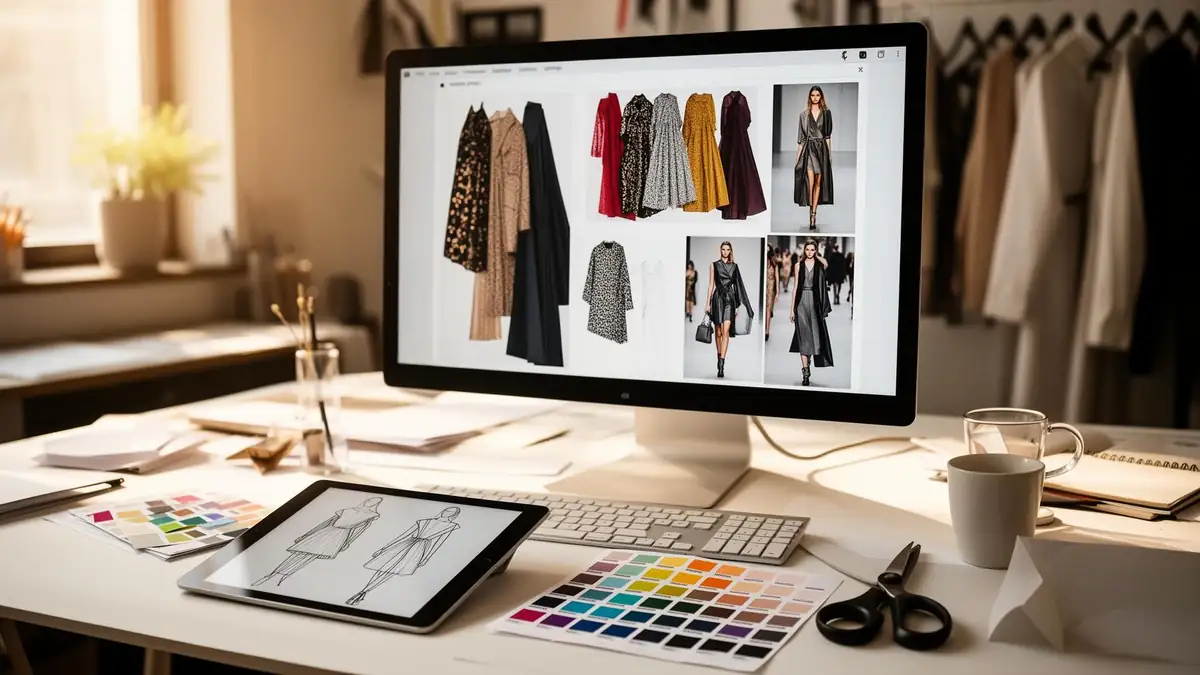
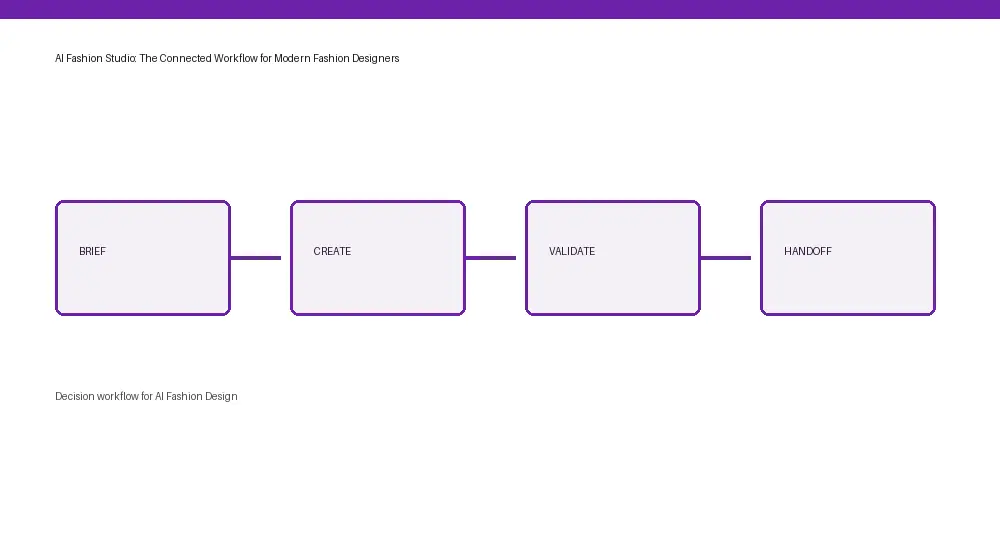

Most pages that rank for "AI fashion studio" today describe one of three things: an AI photoshoot tool that swaps models onto a flat lay, a virtual try-on widget that lives inside a Shopify store, or a sketch-to-image generator that turns a doodle into a render. Each of those is useful in a narrow lane. None of them is a studio. A studio is where a designer does the whole job: research, creative direction, asset creation, portfolio, and the hunt for paid work.
The connected AI fashion studio model treats those steps as one workflow with shared state. A reference scanned from Vogue Runway on Tuesday becomes a slot in a dossier on Wednesday, a campaign image on Thursday, and a portfolio entry by Friday. Nothing gets retyped. Nothing gets lost between tools. The designer keeps authorship at every step because the work is graded against their own intent, not a generic model output.
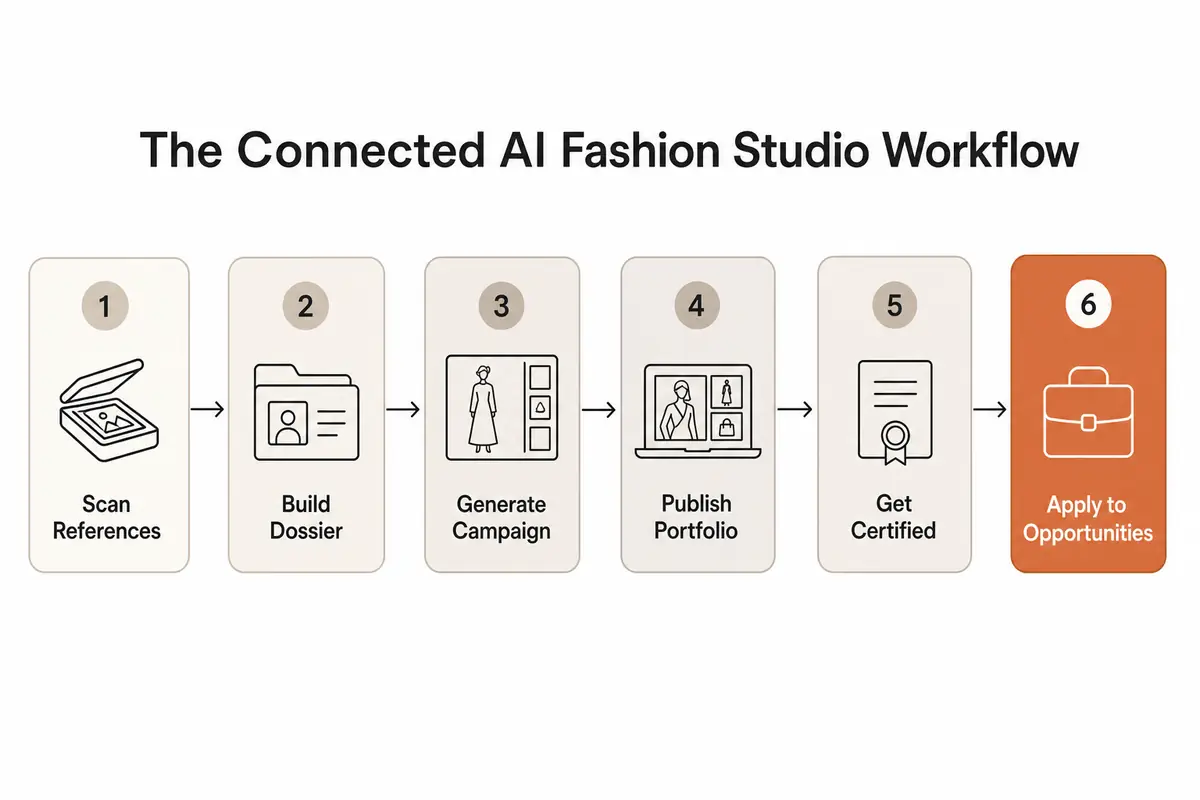
Run an AI fashion studio as six steps, in order. Each step writes into the next, which is what makes the loop short.
The F* Word ships the AI fashion studio as three tools that each work standalone and compound when used together. The arc is short on purpose: scan to dossier to certified portfolio to job offer. The screenshot below is the live product surface designers see when they sign up.
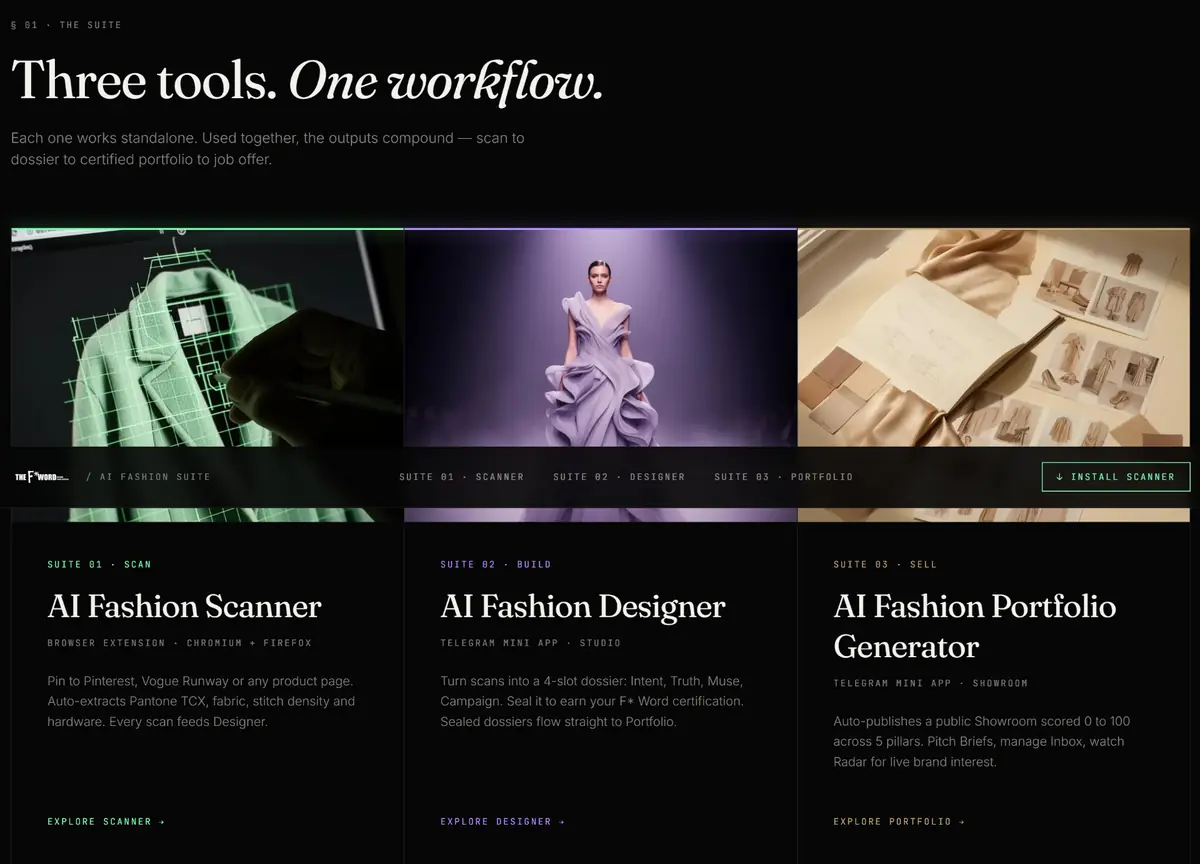
The Scanner is a Chromium and Firefox browser extension. Pin it to Pinterest, Vogue Runway, Net-a-Porter, or any brand product page, and it auto-extracts the Pantone TCX color, fabric type, stitch density, and hardware from the image you are looking at. Every scan flows directly into the Designer tool as a structured reference, so the research file is built passively while you do the browsing you would have done anyway. The point is to convert hours of moodboard screenshots into a searchable archive that the rest of the studio can read.
The Designer is a Telegram mini app that turns scanned references into a four-slot dossier: Intent, Truth, Muse, and Campaign. You seal the dossier when it is ready, which produces an F* Word certification and locks the authorship record. The sealed dossier flows straight into the Portfolio tool, so there is no re-export, no re-keying, and no lost provenance between research and publish. Working inside Telegram means the studio sits next to the designer's existing reference threads instead of asking them to log into another browser tab.
The Portfolio Generator auto-publishes a public Showroom page scored 0 to 100 throughout five pillars of design craft and commercial fit. From inside the same Telegram mini app, designers can pitch live brand Briefs, manage an Inbox of replies, and watch the Radar for brands signaling interest in their work. This is the part of the AI fashion studio that closes the loop: the Showroom is the proof, the Briefs are the opportunities, and the Inbox is the conversation that turns a portfolio into a job offer.
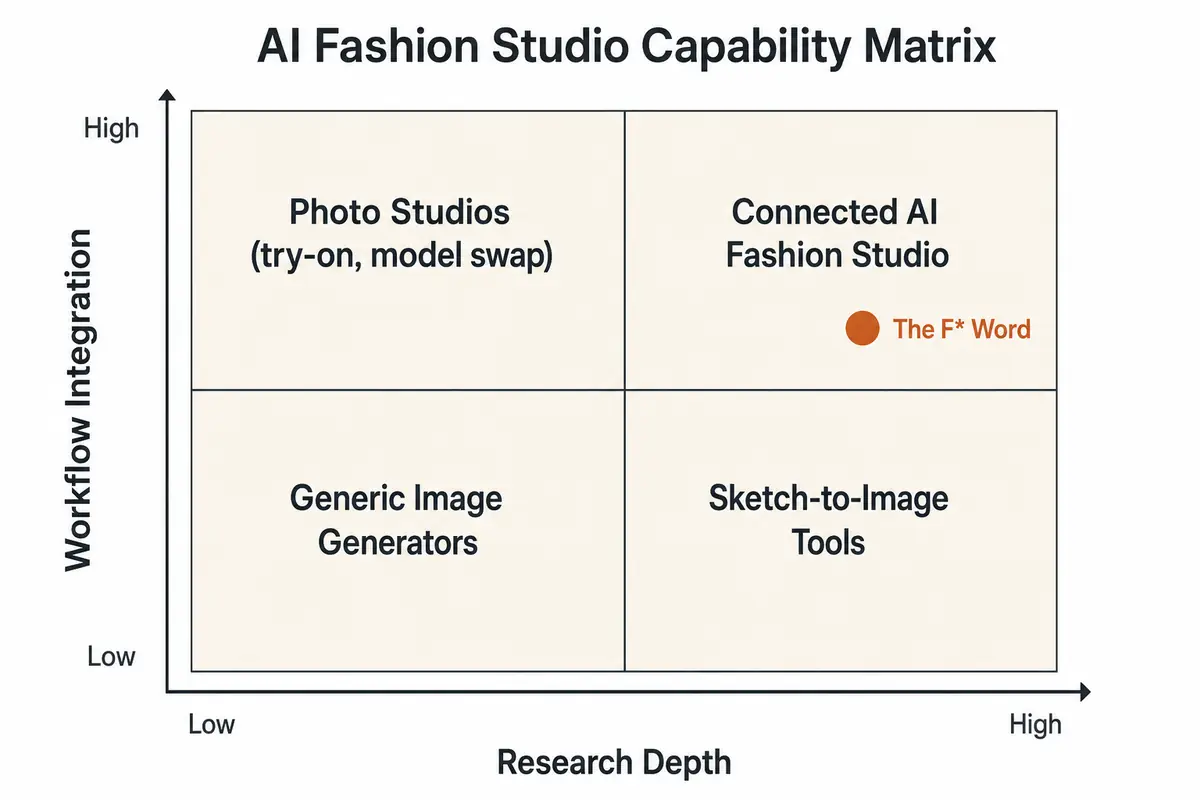
The simplest way to see the gap is to chart what each tool category can and cannot do. An AI fashion studio is the only quadrant that combines high research depth with high workflow integration. Everything else is either a beautiful image with no provenance or a deep research file with no asset output.

Emerging designers lose work the moment a screenshot of a render leaks out of a prompt window. Teams can find no record of intent, no record of the references, no record of the sequence of decisions, so the file looks like it could have come from anyone. A connected AI fashion studio writes that record automatically. Every reference is dated and attributed inside the Scanner. Every dossier slot is signed by the designer inside the Designer. Every generated asset carries a provenance trail back to the dossier that produced it. When the Portfolio is published and certified, the certificate is the proof that the work belongs to its author.
This is the part of the category that almost no current page on the topic addresses. The on-model photo tools cannot speak to authorship because the input is a flat lay. The sketch-to-image tools cannot speak to it because the sketch is the only artifact. A studio that keeps state throughout the entire workflow can, and that record becomes the difference between losing a design to a screenshot and walking into a brand meeting with a certified Showroom.
Studio Yield is the metric to run an AI fashion studio against. The simple version: Studio Yield equals the professional value produced per hour, divided by workflow friction. Professional value is research density, dossier clarity, and the transferability of the output into a portfolio or a brief. Friction is the time spent retyping references, exporting between tools, reformatting tech packs, or hunting for a file from last week.
A high-yield AI fashion studio shows three patterns. The first is that the research file gets reused on the next collection instead of being rebuilt from scratch, because the Scanner kept everything structured. The second is that the campaign images can be dropped straight into a portfolio without retouching the brief, because the Designer sealed the dossier with provenance attached. The third is that the certificate at the end of the loop is accepted by a real recruiter or accelerator, so the loop closes into a meeting through the Portfolio Inbox.
How to apply it: at the end of each week, count how many of your hours produced a portfolio-ready or brief-ready artifact. If the number is under 40 percent of total studio hours, the friction is in the handoffs, not in the creativity, and the fix is a connected studio rather than a faster prompt.
Take a designer working on a 12-look capsule with a pitch on Friday. The traditional path looks like eight hours pulling references throughout Pinterest and Vogue Runway, ten hours generating visuals in a separate AI image tool, four hours assembling a portfolio deck, and three hours writing the pitch, which adds up to 25 hours and three tool subscriptions.
The same capsule inside a connected AI fashion studio runs at two hours of Scanner pinning into a structured archive, four hours of Designer dossier and campaign generation, one hour to publish a scored Showroom page, and 30 minutes to send the certified portfolio into two live Briefs from the Inbox. This is 7.5 hours, one studio, and a record of authorship attached. The saving is 17.5 hours per capsule, and the time that was spent retyping references gets spent on craft.
Sensitivity: if the pitch requires a tech pack handoff, add 90 minutes for an auto-drafted tech pack inside the same studio (The F* Word generates tech packs in 8 to 10 minutes from a garment design), which still keeps the cycle under nine hours. The point is not the exact numbers. it is that workflow friction, not creativity, is the variable that compresses.
Three groups get the most out of an AI fashion studio. The first is the independent or emerging designer who needs proof of work to apply to roles and accelerators and does not have an in-house team to build it. The second is the in-house designer or creative director at a small-to-mid brand who needs to compress research and campaign cycles so the team can ship more drops a year. The third is the merchandiser who needs the design and campaign output to arrive with enough structure to plan a buy against it.
For each group, the connected studio replaces a stack of single-purpose tools with one workflow, and the output is portable: portfolio pages, tech packs, campaign decks, and certificates that travel with the designer to the next role or the next client. Independent designers use the Scanner, Designer, and Portfolio Generator end to end. In-house teams often start with the Designer to standardize dossiers throughout the team and add the Scanner to feed it. Merchandisers tend to enter through the Portfolio Showroom, where scores throughout the five pillars make it possible to plan a buy against work that has not been sampled yet.
The reason to publish a scored Showroom inside the studio, rather than as a PDF emailed to a recruiter, is that the studio closes the loop. Brands post live Briefs inside the same Portfolio Generator. Designers pitch from the Inbox with the certified Showroom attached. The Radar surfaces which brands are watching the work, so the designer can prioritize the right conversations instead of cold-emailing in the dark. This is the part of the workflow that single-purpose AI tools cannot replicate, because they were never built to host the hiring side of the market in the first place.
Pick one capsule you would otherwise build over a month. Install the AI Fashion Scanner browser extension and pin five references from Pinterest and Vogue Runway in an evening. Open the AI Fashion Designer in Telegram, fill out the four dossier slots for Intent, Truth, Muse, and Campaign, and seal the dossier to earn the certification. Auto-publish the Portfolio Showroom and submit it to a live Brief in the same session. The first loop is the proof. The second is the habit. By the third, the studio is your default surface and the single-purpose tools fall away.
Sign up free for The F* Word AI fashion studio at https://aifashion.thefword.ai/ and run your first research-to-portfolio loop this week.
An AI fashion studio is a connected workspace where a fashion designer scans references, builds a creative dossier, generates campaign assets, publishes a scored portfolio, gets certified, and applies to live brand opportunities, all in one workflow with shared state instead of a stack of single-purpose tools.
An AI fashion image generator produces a single render from a prompt. An AI fashion studio produces a chain of artifacts that trace back to a dossier and forward into a portfolio, with authorship and provenance attached. The image generator is a feature. The studio is the workflow.
Yes. A connected AI fashion studio publishes the look book as a public Showroom page, scores it 0 to 100 throughout five pillars of design craft and commercial fit, and links it to the underlying research so reviewers see the work and the evidence in the same place.
Yes. The Scanner turns the open web into a structured archive: Pantone TCX colors, fabric types, stitch density, and hardware are extracted from Pinterest, Vogue Runway, Net-a-Porter, and any product page, then saved into a searchable library that the Designer and Portfolio tools can read directly.
The F* Word offers a free AI fashion studio that covers the full loop: AI Fashion Scanner browser extension, AI Fashion Designer Telegram mini app with four-slot dossier and certification, and AI Fashion Portfolio Generator with a scored Showroom, live Briefs, Inbox, and Radar. Start free at https://aifashion.thefword.ai/.
By working inside a studio that records the chain of decisions. Every reference is dated and attributed in the Scanner, every dossier slot is signed and sealed in the Designer to earn an F* Word certification, and the published Showroom is graded against that authorship record, which gives the designer a defensible record of authorship that a single prompt window cannot produce.
Three tools, one workflow. AI Fashion Scanner is a Chromium and Firefox browser extension that extracts Pantone, fabric, stitch density, and hardware from any page you pin. AI Fashion Designer is a Telegram mini app that turns scans into a sealed four-slot dossier. AI Fashion Portfolio Generator is a Telegram mini app that auto-publishes a scored Showroom and connects to live brand Briefs, Inbox, and Radar.
Related: Explore the related workflow · Read the related guide · Try The F* Word
Get The F* Word workflow insights in your inbox.