
Language
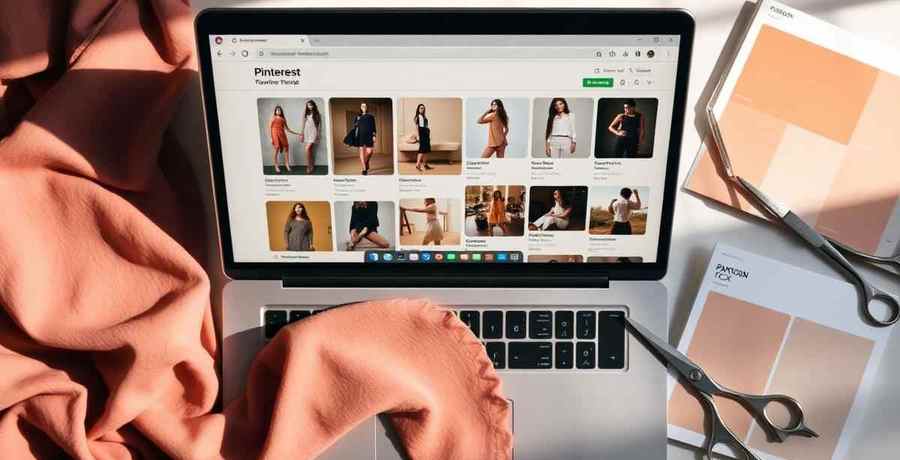
In-house fashion designers do not need another "6 free tools" listicle. They need to know which Chrome extensions are worth installing for the specific workflow steps that happen in a browser tab: capturing a moodboard reference, grabbing a colorway, cleaning up a product-page image before it lands in a tech pack, and scraping a competitor's PDP without retyping any of it.
This 2026 workflow guide maps six Chrome extensions to the workflow step they actually earn a spot for, plus the point where a designer should stop patching with extensions and move the job into a real tool. Every extension listed is free at the tier described.
Three shifts in 2026 pushed extensions from a nice-to-have into a research primitive. First, primary inspiration is browser-native: Pinterest, Vogue Runway, SSENSE, Net-a-Porter, Farfetch, Moda Operandi. Second, hosted AI tools finally offer proper extension bridges, which means the pixel you save on Pinterest at 11pm can be a Pantone TCX chip and a stitch density estimate by 11:01. Third, hiring managers and creative directors read structured portfolios now. A tab with 40 saved pins is not a portfolio. A sealed dossier scored 0 to 100 is.
The bar for a good fashion extension in 2026 is not "does it save the image." It is: does it extract the metadata that a designer, a factory, and a recruiter each actually need, without asking you to type any of it in twice.
Chromium and Firefox. Free, no signup required to install. Pin the extension to Pinterest, Vogue Runway, Moda Operandi, SSENSE, Net-a-Porter, Farfetch, or almost any garment product page and hit scan. The Scanner auto-extracts Pantone TCX chips, fabric composition estimates, stitch density, and hardware callouts (buttons, zips, hooks, trims). Every scan is written into your Designer account, so a Tuesday-night scroll compounds into a Wednesday-morning dossier.
What makes it different from anything else on this list is the round trip: Scanner feeds Designer (the sealed 4-slot dossier: Intent, Truth, Muse, Campaign), Designer feeds Portfolio Generator (a public Showroom scored 0 to 100 across five industry pillars), and Portfolio feeds a live feed of brand jobs. The extension is the top of a funnel that ends in a real job offer, not a folder of saved images.
Best for: designers, students, and freelancers who want research to compound into pitchable work.
Chromium and Firefox. Free. ColorZilla picks the hex, RGB, or HSL of any pixel on any page. It is the most useful generic color tool for designers because it works everywhere and never asks for a login.
The catch for fashion: hex and RGB are screen values, not thread or fabric values. There is no built-in Pantone TCX conversion, and screen color drifts by monitor. Use it as a first pass on a runway photo, then translate to a physical chip before you brief a mill.
Best for: quick color picks when you have a Pantone book at your desk to verify against.
Built into Chrome via right-click. Free. Google Lens does visual reverse-image search on any picture in the browser: garment silhouette, print, hardware. It is good at "what shoe is that" and mediocre at "what fabric is that." It surfaces retail listings, not spec sheets.
The value is triangulation. If you find a coat on Vogue Runway and Lens returns three similar retail hits with product copy, you get free intel on price band, fiber composition, and country of manufacture. That is competitive research you would otherwise pay for.
Best for: price benchmarking and finding retail cousins to a runway look.
Chromium, Firefox, Edge. Free. The official Pinterest button saves any image on any page directly into a Pinterest board. It is the extension most fashion designers already have installed.
What it does not do is more useful to say out loud: it does not extract color, fabric, hardware, or context, and boards do not translate into any downstream tool. A Pinterest board is a starting point for a moodboard, not a moodboard.
Best for: raw capture. Pair with a scanner or a moodboard tool for anything past collection.
Chromium and Firefox. Free tier. Are.na is a research-native pinboard used by many design studios. The extension saves any image or URL to a channel with tags.
Are.na wins on taxonomy and taste. It loses on structured extraction: like Pinterest, it captures the pixel, not the material data. If your studio uses Are.na channels as the source of truth for concept work, the extension is essential. If you need to brief a factory next week, it stops short of what you need.
Best for: curatorial concept research and cross-project taxonomy.
Chromium and Firefox. Free with any Notion account. Clips the current page (or a selection) into a Notion database row. Useful if your creative direction lives in Notion, because you can attach clipped runway looks to trend pages, mill lists, or seasonal briefs.
Limits are the same shape: Notion Web Clipper is a general capture tool. It has no fashion vocabulary, no Pantone bridge, no stitch density detection. Everything past the clip is manual.
Best for: studios that already run creative direction inside Notion.
This table summarizes what each Chrome extension extracts to help fashion designers select the right tool for their workflow.

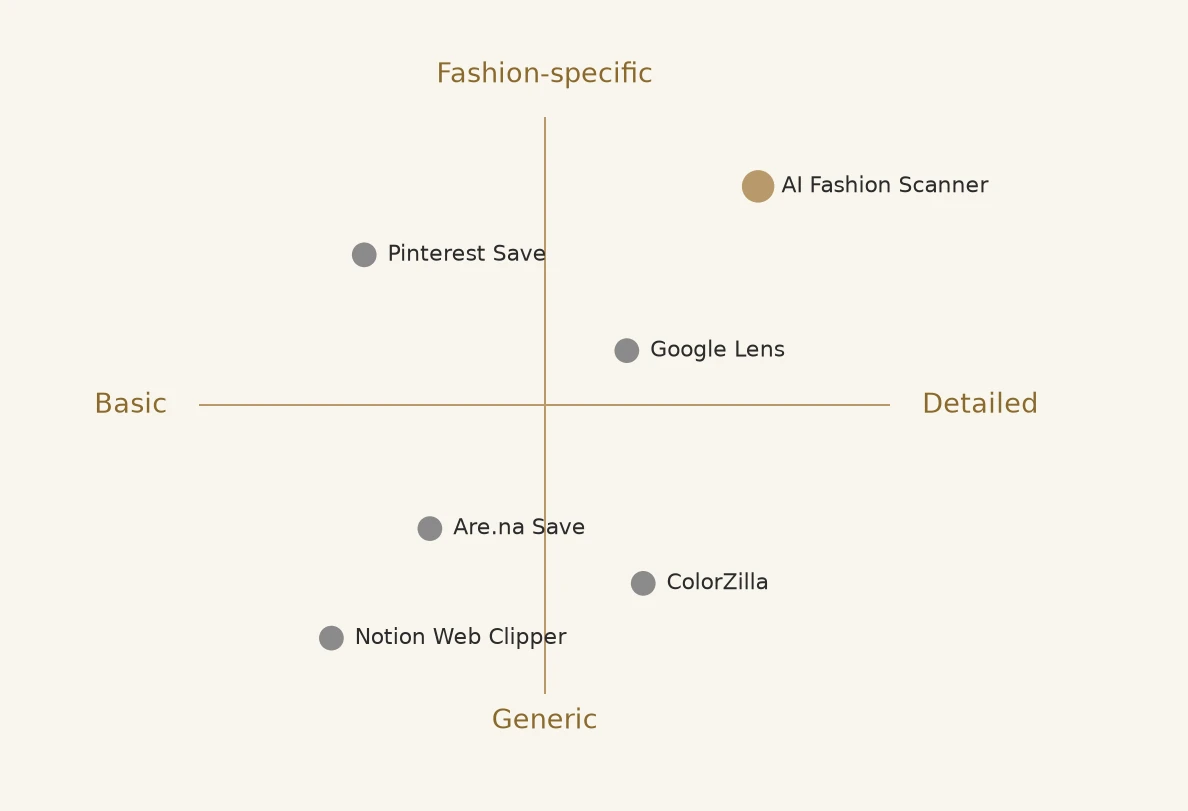
Most free extensions cluster in the bottom-left: generic, shallow, useful for capture only. Google Lens creeps right on extraction but stays generic. AI Fashion Scanner is the only tool that occupies the top-right quadrant, which is where a designer's research actually needs to land if it is going to reach a factory or a recruiter.
The honest advice: pick one capture tool and one extraction tool. Trying to run all six creates the same problem in a different tab.
When to graduate from an extension to a real tool: once the same capture happens more than twice a week, or once the output has to reach a factory in a tech pack, an extension is no longer the right layer. For fabric identification at production quality, use fabric ID from a photo. For the full brief-to-tech-pack loop, the AI fashion workflow software pillar maps the tools that own each stage.
The lesson from testing all six is boring: extensions do not save time on their own. They save time when what they capture goes somewhere structured. Anything that ends in "and then I retype it into a document" is not a win.

ColorZilla, Google Lens, Pinterest Save, Notion Web Clipper, and Are.na Save are free (Are.na has an optional paid tier for larger accounts). AI Fashion Scanner is free to install and free to scan; the certification and portfolio flow it feeds into is also free.
Most fashion-relevant extensions ship for Chromium (Chrome, Edge, Brave, Arc) and Firefox first. Safari support lags across the board. If you work on macOS, the practical choice is to run Chrome or Arc alongside Safari for research.
No. An extension is the top of the funnel: it captures references and extracts metadata. A tech pack still needs sizing, tolerances, bill of materials, and factory-ready construction notes. What a good extension does is stop you from typing the color, fabric, and hardware fields twice.
All six are from named developers with public review histories. Google Lens is built into Chrome. Pinterest, Notion, and Are.na are first-party from those companies. ColorZilla and AI Fashion Scanner are third-party but published to the official Chrome Web Store with disclosed permissions. Read the requested permissions before you install any extension, on any topic.
If you rely on the free apps above every day, the piece they cannot give you is proof that the work adds up to a hireable AI fashion designer portfolio. That is what the AI Fashion Studio from The F* Word is built for. Bring in the pieces you assembled with your free stack, get an AI-scored portfolio back, and get pitched to live fashion jobs the same week.
Start free: Open the AI Fashion Studio and turn your free-app workflow into a scored AI fashion designer portfolio.
Related guides on this site: Top free AI fashion tools 2026 · Best free AI tools for fashion design students · How to build a Scanner-led AI fashion trend research system
Related: telegram mini apps for fashion designers
For the wider picture of how AI design tools fit together, see our AI fashion design overview.
Get The F* Word workflow insights in your inbox.