
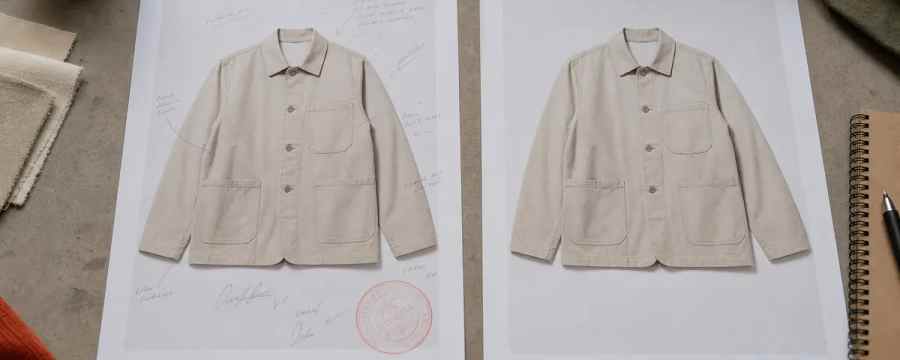
Short answer: A tech pack generator produces the document from a design input, while a tech pack validator checks that the document is complete, internally consistent, and manufacturable before it is sent. Generation answers the question "does a spec exist," and validation answers "is this spec safe to send." They are complementary: the right setup runs validation on any generated output, including tech packs created elsewhere.
Two different products often get sold under the same word. One tool outputs a thing and calls that finish. Another tool stores a thing and assumes it arrived correct. Neither tool type guarantees the thing is safe to send to a factory. This is why teams only learn what they really bought when the first proto comes back with avoidable comments.
The field has settled into two camps. One camp generates something, such as a pattern, a.DXF, a render, or a draft tech pack, and treats the output as the finish line. The other camp stores the record, PLM and PIM, and takes what they are given as ground truth. Neither camp validates. The cost lives in the gap between "a spec was produced" and "a factory accepted the spec without a revision round."
Be fair to generators. They remove a real bottleneck, and a good one produces a strong first draft. The catch is that a confident, complete-looking document can still contain an internal contradiction, like a POM table that does not match a construction note, or a BOM trim that has no placement. A validator exists to catch those contradictions and to stop the send until they are fixed.
The F* Word operates in that gap. It generates a factory-ready tech pack in 8 to 10 minutes from a garment design, including BOM and construction notes, and it also generates moodboards as the upstream half of the same workflow. It is not a PLM, not a 3D simulator, and not an image generator. It is the validation and orchestration layer that runs checks before the spec leaves the building. Read how those checks work in practice at POM accuracy: 7 AI validation checks and see the output spec example at factory-ready tech pack.
If you have 15 minutes and need to know what you are buying, use these questions. They expose the difference between generation and validation without naming vendors.
For background on upstream creative inputs, see AI fashion design overview. For how validation slots into pre-production, see pre-production workflow.

caption
| Dimension | Generator | Validator | What a buyer sees in a demo | Failure mode | Question to ask |
|---|---|---|---|---|---|
| Core function | Creates a tech pack or related artifact from inputs | Checks a tech pack or artifact for completeness and consistency | Impressive auto-fill of BOM, POM, images, or measurements | Looks complete but hides contradictions | When a rule fails, does export stop or proceed? |
| Input | Sketch, 3D render, pattern, prior season spec, measurements | Any spec, including ones made elsewhere or by humans | Drag-and-drop design in, shiny document out | Assumes input truth without verifying relationships | Can you validate a third-party PDF and show the flags? |
| Output | Draft or final-looking PDF, BOM, POM, callouts | Pass or fail state, with flagged lines and reasons | Clean export viewer with pages and mockups | Validation flags are cosmetic or missing | Where are failed checks stored against the style record? |
| Decision answered | Does a spec exist that covers the design? | Is this spec safe to send to a factory? | Before/after comparison of empty vs filled spec | Confidence bias toward "good to go" | What rule set proves safety, and who authors changes? |
| Export behavior | Always exports, even with gaps | Blocks, watermarks, or requires override on fail | One-click "Download tech pack" | Unvalidated documents reach suppliers | Show a failed export and the override log |
| Data traceability | May save files, limited check history | Saves pass or fail, timestamp, user, rule results | Nice file list or PLM attachment | No audit trail for why a bad spec shipped | Where can I see the last 10 validations and outcomes? |
| What it cannot tell you | If cross-references agree, or if notes match POM math | Creative taste or silhouette quality | Fast population of fields, little discussion of rules | Internal contradictions slip through | Which contradictions are auto-checked, and which are manual? |
The workable architecture is simple. Generate a strong first draft, then validate it before anything leaves your building. The F* Word does both in one pass. It generates a factory-ready tech pack in 8 to 10 minutes from a garment design, including BOM and construction notes, then runs AI checks across BOM to placement links, POM logic, grade rules, callout completeness, and image to spec alignment. It also generates moodboards upstream as part of the same workflow so creative intent connects to the specification. It is not a PLM, not a 3D sim, and not an image generator. It is the validation and orchestration layer that sits between design tools and PLM or supplier handoff.
The market split still applies here. One camp generates something and treats that as final. The other camp stores the record and presumes it is correct. Neither validates. The F* Word closes the gap with checks that run before the spec leaves the building. If you already generate in CLO, Browzwear, Illustrator, or a pattern system, you can still drop those outputs into The F* Word and get the validation layer and the export gate. For an overview of the workflow stack, see AI fashion workflow software and our intelligent tech packs explainer.
If you want to quantify value, track first pass acceptance rate, factory comment counts per style, and days from design freeze to proto handoff. Reducing one revision round, even by an illustrative 3 to 5 days, compounds across seasons and suppliers. For a look at how validation reduces rework after supplier comments, review tech pack revisions after factory comments.
Ready to see the operator view and approval gate in action. See the validation step run end to end at thefword.ai.
Some generators include basic completeness checks such as required field prompts or template enforcement. That is helpful, but it is not the same as a validator that blocks export, flags contradictions across tables and notes, and stores a pass or fail state. Use the three questions above to see if validations are guardrails or just hints. Ask to see a failed export and where that failure is saved.
Factory-ready means the export contains enough detail to make a first proto without a preventable revision round. That includes a linked BOM, accurate POM with tolerances and grade rules, construction notes tied to callouts, and clear material placements. The F* Word can produce that export in 8 to 10 minutes and then validates it before send. See examples at factory-ready tech pack and the BOM, POM, grading explainer.
Keep your PLM to store and route final records, and keep your 3D or pattern tools to design and simulate. Slot validation between those two steps so that only checked specs land in PLM or go to suppliers. The F* Word is not a PLM and not a 3D sim, it is the validation and orchestration layer that guards handoff quality. It also accepts inputs from existing tools, then logs validation results back to your system of record.
Yes, because volume and time pressure are where mistakes creep in. Validators catch contradictions at machine speed, help seniors focus on real edge cases, and provide an audit trail for approvals and overrides. Teams with strong TDs typically see fewer preventable comments and faster sample cycles when a validator gates the export. That frees experts to handle intent, not hunt for missing tolerances or mismatched measurements.
Get The F* Word workflow insights in your inbox.