
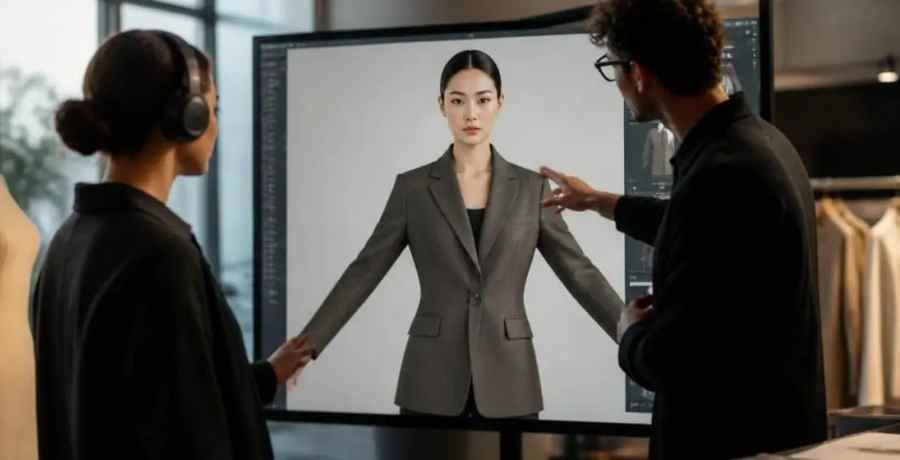
Direct answer: Virtual try-on for fashion brand teams in 2026 is not the same product as the AR widget shoppers see on a product page. Brand teams use virtual try-on throughout four distinct surfaces: internal fit review before sampling, buyer sell-ins during market week, PDP AR for consumers, and social/UGC filters. The right tool depends on which of those jobs you are actually staffing. This guide compares eight virtual try-on platforms throughout accuracy, integration, and total cost, explains why upstream tech pack quality is the single biggest variable most buyers ignore, and shows where a validation layer like The F* Word fits in.

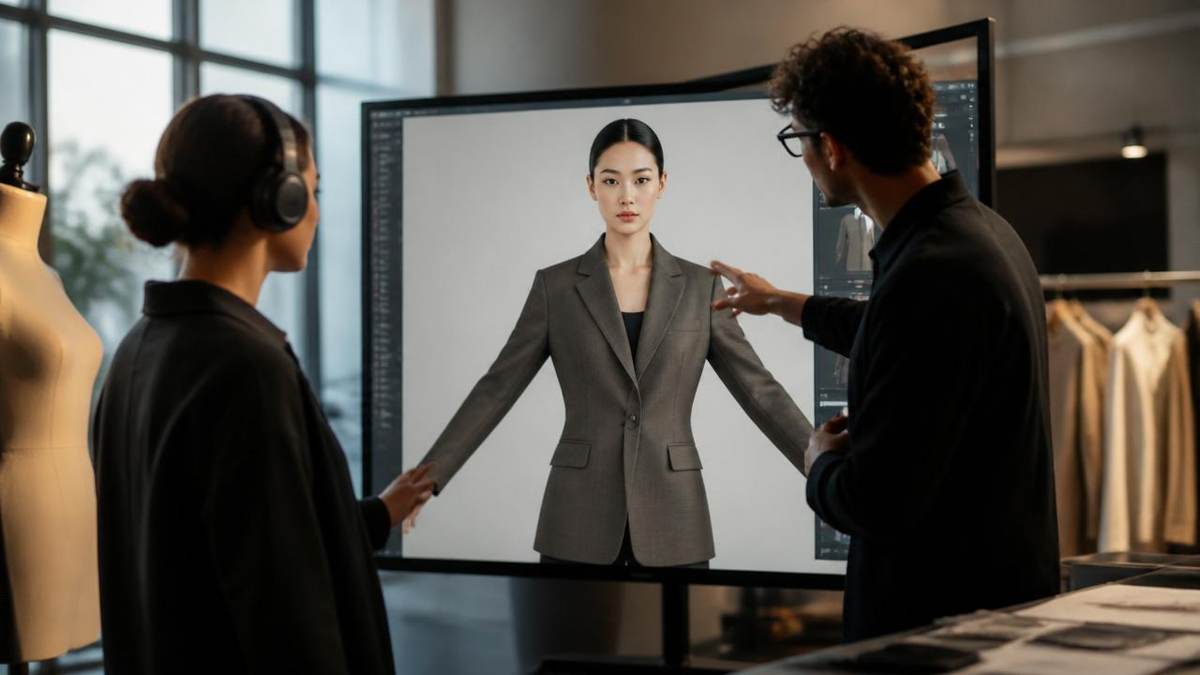
Most listicles conflate two different products under the same "virtual try-on" label. Consumer virtual try-on is the AR widget on a product page, or the TikTok filter that lets a shopper see a hoodie on themselves. Brand-team virtual try-on is an internal workflow tool that renders a garment on a parametric avatar so designers, product managers, merchandisers, and sales reps can make decisions before physical samples exist.
The two products share a technical surface (a 3D garment, a body model, a render engine), but the buyers, budgets, and success metrics are different. A consumer widget is measured on conversion lift and return rate. A brand-team tool is measured on sample-count reduction, sell-in throughput, and time-to-line-freeze. Confusing the two is why so many pilots stall: a brand pays for a shopper-grade widget then asks it to do internal fit review it was never built for.
For a deeper split of the internal use case, see our companion piece on virtual try-on for wholesale sell-ins.
Before any tool comparison, map your need to one of the four quadrants below. Each one has a different accuracy bar, a different integration surface, and a different vendor shortlist.
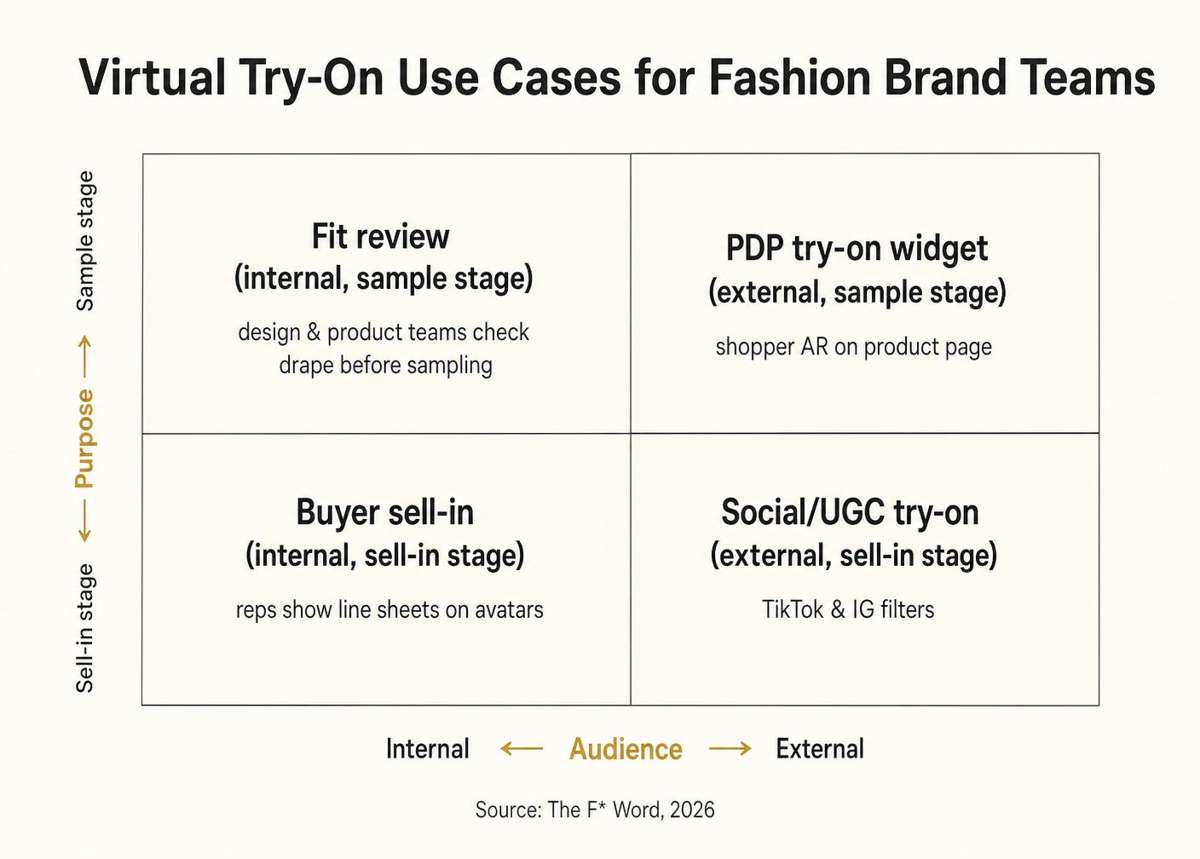
Fit review (internal, sample stage). Design and product teams check drape, ease, and silhouette on a size-graded avatar before cutting the first sample. Accuracy target is plus or minus 1 cm at key body landmarks. Winners here plug into pattern files (DXF, ZPRJ) and support fabric parameters.
Buyer sell-in (internal, sell-in stage). Sales reps walk wholesale buyers through a line sheet on a tablet, swapping colorways and sizes in front of the buyer. Accuracy target is "convincing at 60 cm viewing distance". Winners here render fast, support batch export, and integrate with the sales tool of record (JOOR, NuORDER).
PDP try-on widget (external, sample stage). A shopper uploads a body scan or picks an avatar and sees the garment on themselves. Accuracy target is size-recommendation confidence and low latency (under 3 seconds). Winners integrate with Shopify or Salesforce Commerce and report back on return-rate deltas.
Social/UGC try-on (external, sell-in stage). A brand ships a Snap Lens or TikTok Effect so shoppers can try a hero product in an AR filter. Accuracy target is fun, not fit. Winners are the two platforms themselves plus a handful of Lens Studio agencies.
Once the use case is fixed, the evaluation criteria fall out. In our vendor calls with mid-market brands (30 to 200 SKUs per season), the same seven questions decide every deal.
Eight platforms brand teams shortlist most often, scored against the four use cases above. Prices are list, not negotiated.
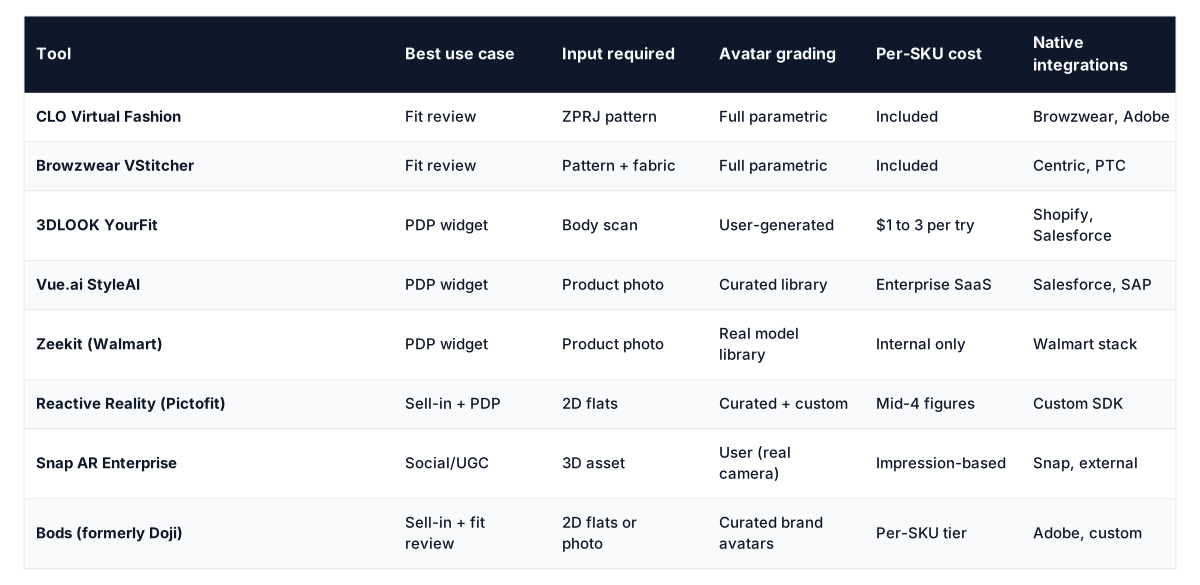
Two observations from this table. First, no single platform wins throughout all four use cases. A brand that tries to standardize on one tool ends up compromising in three quadrants. Second, the tools with the lowest input requirement (2D flats, product photo) tend to have the softest accuracy. That trade-off is the entire buying decision.
Every virtual try-on platform in the table above ingests some version of a garment specification: pattern points, fabric weight, seam allowance, ease at chest and hip. The polite name for this input is "the tech pack". The unpolite reality is that most brands feed these platforms a tech pack that was itself made from a moodboard reference and a supplier email, with no validation loop.
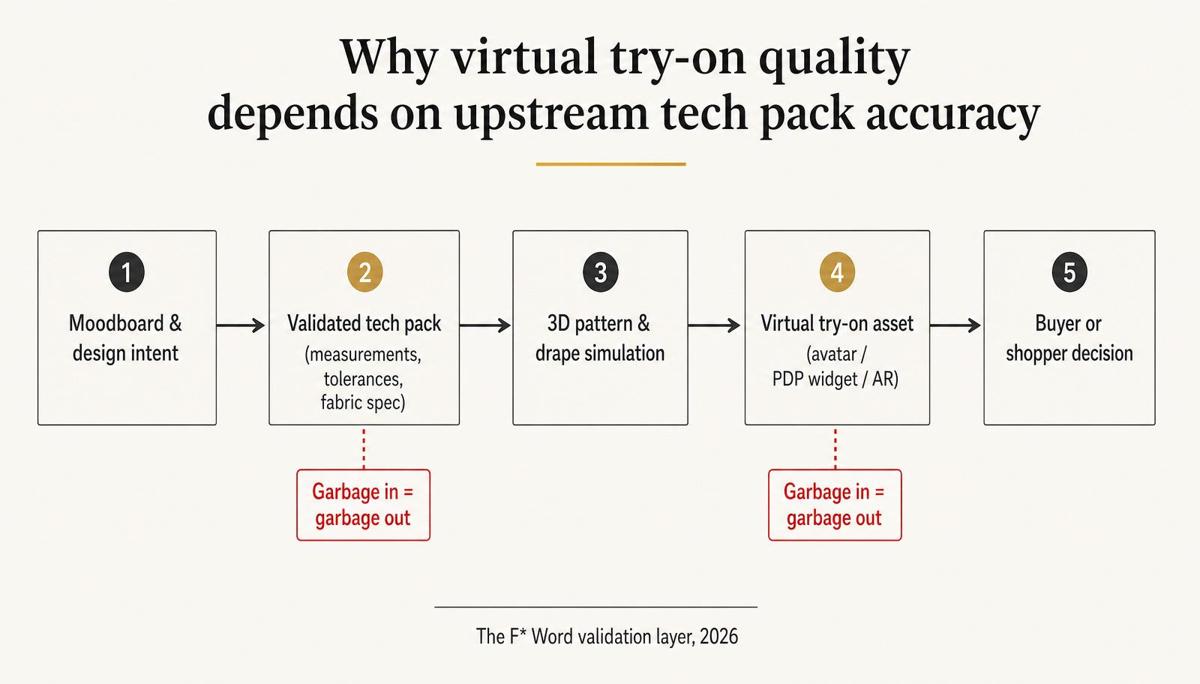
When the tech pack is wrong, the virtual try-on is confidently wrong. A jacket rendered with the wrong chest ease looks fine on the avatar and fails on the buyer. A dress rendered against the wrong fabric weight drapes like linen when the sample is woven crepe. The vendor is not lying. the vendor is showing you what you asked for. The failure sits one step upstream, in the specification.
This is why the highest-impact move for a brand team evaluating virtual try-on is usually not the try-on tool itself. It is the validation layer that sits between design intent and the tech pack: a system that ingests the moodboard and the initial sketch, generates a first tech pack in eight to ten minutes, then flags fit, fabric, and construction contradictions before the file ever reaches a render engine. Related reading: translating creative intent into executable specs.
Virtual try-on is a downstream surface. The AI Fashion Design Studio from The F* Word is the upstream validation layer that decides whether that surface tells the truth. It ingests a moodboard, a sketch, or a reference image, generates a validated tech pack in eight to ten minutes, and flags the specification errors that would otherwise ship straight into your try-on renderer.
Try the AI Fashion Design Studio
Put the tool question last. In order:
Is virtual try-on accurate enough to skip a physical sample? For fit-review use cases with a validated pattern and fabric spec, yes for silhouette and drape. No for hand-feel, colorfastness, or trim details. Most brands cut one sample where they used to cut three.
How much does virtual try-on cost a mid-market brand? Fit-review tools like CLO or Browzwear run 3,000 to 10,000 dollars per seat per year. PDP widgets from 3DLOOK or Vue.ai run into the low six figures for an enterprise contract. Snap AR Enterprise is priced on impressions.
Do we need 3D garments to use virtual try-on? Only for the highest-accuracy tools. Reactive Reality, Bods, and Vue.ai will accept 2D flats or a product photograph. Accuracy drops accordingly.
Where does The F* Word fit if we already own CLO? Upstream. CLO renders whatever pattern you feed it. The F* Word validates the tech pack before it becomes a CLO file, so the render is worth trusting.
What is the biggest mistake brands make in year one? Standardizing on one platform throughout all four quadrants. Pick per quadrant, and accept two vendors on the roster.
Related: best AI moodboard tools for fashion designers
Explore the related workflow. Read the related guide. Try The F* Word.
Get The F* Word workflow insights in your inbox.