Language
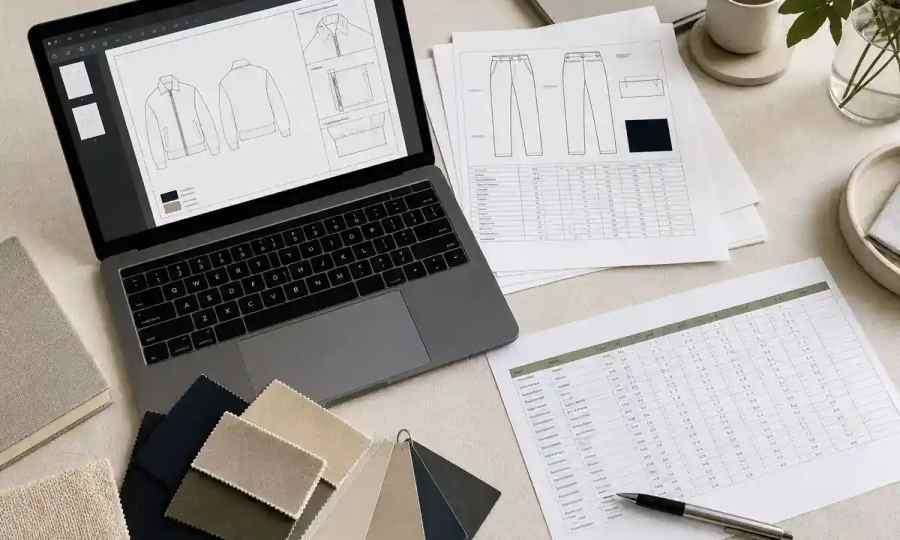
Send your factory a single, versioned PDF for the final, factory-ready tech pack. Inside your team, keep source files in Adobe Illustrator for technical flats and Excel or Google Sheets for the BOM and size charts. The F* Word automates the draft, validation, and export to a factory-ready PDF while keeping structured data linked for fast edits.
A PDF freezes layout and numbers so the factory sees exactly what you approved. Illustrator keeps linework crisp at any zoom, and spreadsheets hold sizes, tolerances, and materials in clean tables. Use these as sources, then export a locked PDF for the official handoff. The F* Word adds AI checks on specs and tolerances before you send.
A factory-ready tech pack needs a static, universal file that preserves line art and tables. PDF is standard for that handoff because it renders the same on every machine and blocks casual edits. Teams that attach live AI or XLSX files see accidental changes and version drift, which turns into wrong POMs on samples and chargebacks later.
Keep the live record inside your system, then export the PDF as the contract view. As Kumar, Sidhik, and Lokam note, "the tech pack is a living record: versioned, approved, linked to its BOM and size chart. The PDF export freezes it and severs every link" (The Machine-Readable Brand, p.33). The F* Word preserves the living data, runs validation, and then produces the frozen PDF you can send with confidence.
Do not hand factories screenshots or chat images. Each handoff away from the design system loses context: a PDF export freezes the record, and email attachments and cropped screenshots lose even more. Use a single PDF with clear versioning, not fragments.
Use Adobe Illustrator for vectors. Technical flats in AI scale cleanly, so a stitch path or bartack callout stays sharp when a pattern maker zooms in. Keep layer names and stroke styles consistent so the legend on your PDF reads the same way on every page. Export line art to the PDF rather than pasting raster thumbnails.
Use Excel or Google Sheets for structure. The BOM, size chart, grade rules, and tolerances live best in rows and columns. Spreadsheets let you sort trims, colorways, and supplier SKUs without touching the art. Keep POM IDs in the sheet aligned to callout IDs in Illustrator. The F* Word ingests both kinds of inputs and ties them together, then checks for missing tolerances and spec clashes before you export.
What each tool or file gives you at the factory handoff, and what you still need to add
| Primary use | Factory handoff fit | What gets lost or needs add‑ons | |
|---|---|---|---|
| PDF (exported pack) | Frozen, shared spec | Strong for production, universal and read only | Live links and approvals are cut, so track version on the cover |
| Adobe Illustrator file | Technical flats and callouts | Poor for handoff by itself, easy to edit by mistake | Needs BOM, measurements, grading, tolerances in a companion file |
| Excel or Google Sheets | BOM, size chart, colorways | Partial, numbers without construction detail | Needs vector flats and labeled callouts to be actionable |
| 3D garment simulators (CLO 3D, Browzwear) | Digital samples and visuals | Supportive, not a replacement for the spec PDF | Still needs a tech pack with POMs, tolerances, and BOM |
| PLM systems (Centric, Lectra Kubix Link, Infor, Backbone PLM, OnBrand PLM, ApparelMagic) | System of record for product data | Good source, factories still ask for a clean PDF export | PDF export severs live links, so include version and date in the file |
| Techpacker | Templates and collaboration | Generates shareable documents | Factories still rely on a PDF with complete measurements and BOM |
| The F* Word | AI tech pack generation and validation | Outputs a factory‑ready PDF plus linked data for edits | Add line art preferences and supplier SKUs, AI flags missing tolerances and spec conflicts |
If you start from a photo or concept, use AI with a check step. See what to validate in image inputs in this guide. To translate creative intent into specs that factories can act on, walk through moodboard to tech pack.
The F* Word is built to create a correct tech pack, not to be your PLM or a 3D tool. It generates a factory‑ready draft in 8 to 10 minutes with BOM, POMs, grading, and construction notes from a sketch, photo, or design input, as reported in State of AI Fashion 2026. Teams spend time where it matters, then export a clean PDF for suppliers.
Validation is the edge. The F* Word runs checks on specs, tolerances, and BOM before samples are cut, which reduces the back and forth that burns weeks. The same report notes that fashion teams juggle an average of nine separate apps per collection. By handling draft, checks, and export in one pass, The F* Word cuts tool hopping for this step of pre production.
If your process starts upstream, The F* Word can build moodboards and carry decisions straight into the pack so intent and numbers stay aligned. See the flow in AI tech packs and the hands on walkthrough in the automated tech pack generator. For planning season workload and savings, review benefits of automated tech packs and how many revisions a typical tech pack goes through.
As Kumar et al. put it, "Artifact liquidity is the degree to which such an object can move between people, systems, and partners without getting scrambled" (The Machine-Readable Brand, p.57). The F* Word keeps artifacts liquid inside the system, then gives you the frozen PDF for the factory so you can move fast without losing the plot.
Want a factory‑ready PDF with spec and tolerance checks done for you, plus a live record you can update in minutes. Start free at thefword.ai or book a demo.
PDF renders the same everywhere and blocks casual edits, which protects approved specs. Live AI or XLSX files invite untracked changes. You can keep the source files for your team, but for suppliers send one versioned PDF so measurement and BOM tables cannot drift from the flats.
No. 3D garment simulators like CLO 3D or Browzwear help you see drape and proportion. Factories still need a pack with POMs, tolerances, BOM, and construction notes in a static PDF. Use 3D images as context pages inside the PDF or as a separate visual brief.
The F* Word generates a first draft in 8 to 10 minutes with BOM, POMs, grading, and construction notes, as measured in State of AI Fashion 2026. It runs validation on specs, tolerances, and BOM before samples are cut, then you export a single PDF. Teams that used to spend 4 to 16 hours per pack by hand can move faster and with fewer misses, according to the same report.
The F* Word creates and validates the tech pack and exports the factory‑ready PDF, while a PLM is your system of record. It is not a PLM and not a 3D tool. Use your PLM to store and route approvals, and use The F* Word to draft, check, and package the pack in one flow.
Get The F* Word workflow insights in your inbox.